
Final Verdict: Is Ghost Worth It?
Ghost is one of the top-rated blogging platforms, but due to its steep pricing and niche audience, it’s not a great fit for everyone. The platform is best suited for publishing and companies where content is the product. However, due to its heavy focus on editorial sites, Ghost’s e-commerce features are limited. It also doesn’t integrate seamlessly with existing sites and often requires complex and custom setups.
So, before you decide to use Ghost for your blog, here’s what you should keep in mind:
Ghost offers above-average blogging and SEO features and is optimized for speed.
The limited layouts and customization choices in Ghost are intentional, meaning that you can only customize your blog’s design to a certain extent before needing developer help.
Seemingly affordable, Ghost’s pricing is membership-based and can quickly increase as your membership count grows.
Most companies don’t use Ghost to build their marketing sites because the platform isn't a general-purpose CMS, and its support for landing page creation is limited.
If you need to add an advanced blogging tool to your existing site, DropInBlog may be a better fit.
If you’re looking for a more flexible version of Ghost with a wider plugin ecosystem, we recommend testing WordPress.
If, on the other hand, you primarily focus on newsletters and memberships, Ghost may be just the tool you need.
Read this in-depth Ghost review to learn about its strengths, weaknesses, core features, pricing, and alternatives.
Still, if your goal is adding a fast, SEO-friendly blog to an existing marketing or product site DropInBlog may be a simpler alternative, and it doesn’t require rebuilding your site or changing your CMS.
Table of Contents
- Final Verdict: Is Ghost Worth It?
- What Is Ghost?
- What Are Ghost’s Key Features?
- Ghost Free vs. Paid Plans
- Ghost vs. WordPress vs. DropInBlog
- Is Ghost a Good Fit for Your Business Model?
- Strengths of Ghost
- Common Ghost Complaints
- Getting Started with Ghost
- Ghost Alternatives
- Who Should Use Ghost?
- FAQs
- Final Word
What Is Ghost?
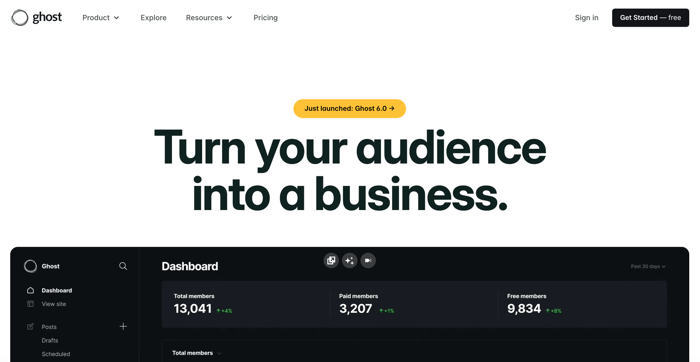
Ghost was launched in 2013, and it’s “just a blogging platform” in the words of John O’Nolan, the founder and CEO of Ghost. At the same time, he contrasted it with WordPress, explaining how that most popular content management system (CMS) is now used for everything.
Ghost, on the other hand, is not used for everything. It skips the complexities of a full-featured CMS. It intentionally limits the integration ecosystem that could turn it into an e-commerce platform or a site builder. It is a blogging platform with a content-first approach.
There are two versions of Ghost: self-hosted and hosted (Ghost Pro). The first one is open-source and requires installing Ghost on your servers. If you don’t mind managing your hosting and updating your blog via a command-line interface tool, the self-hosted version is free and more flexible than the hosted version.
By contrast, Ghost(Pro) serves a different audience: those who don’t want to dive into the technical aspects of managing a Ghost-powered blog and who don’t mind fewer design and integration options.
Learning about Ghost is a good start, but if you want to be “in-the-know” about the latest developments in the world of CMS, blogging and SEO, you should definitely sign up for DropInBlog’s monthly newsletter.
What Are Ghost’s Key Features?
Ghost offers a wealth of features that make creating, managing, and serving content to users easy.
Editor and Writing Experience
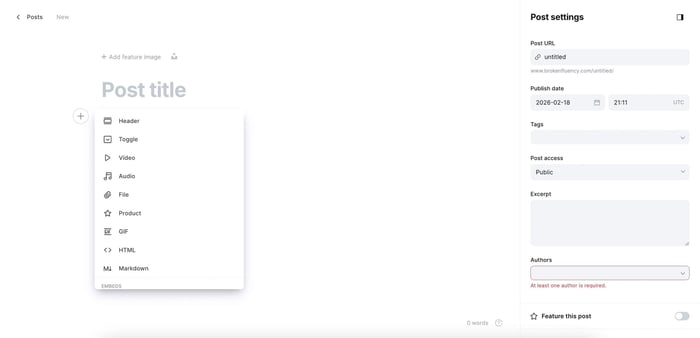
Ghost is known for its clean editor interface and Markdown support. With Markdown, clicks are brought down to a minimum, and as a result, your writing experience has fewer distractions. Ghost also lets you add placeholders for your images and videos, and return to them once you’re done with the writing part – which is a great technique for increasing content output.
When it comes to media, Ghost’s Cards allow you to add anything from a simple divider to product embeds, images, and audio files. With Cards, you can visually organize your content and make it more engaging for readers.
In line with Ghost’s distraction-free writing approach, you won’t get many layout options. The goal is not to overwhelm the writer with too many choices, but to keep their focus on the writing.
Memberships and Subscriptions
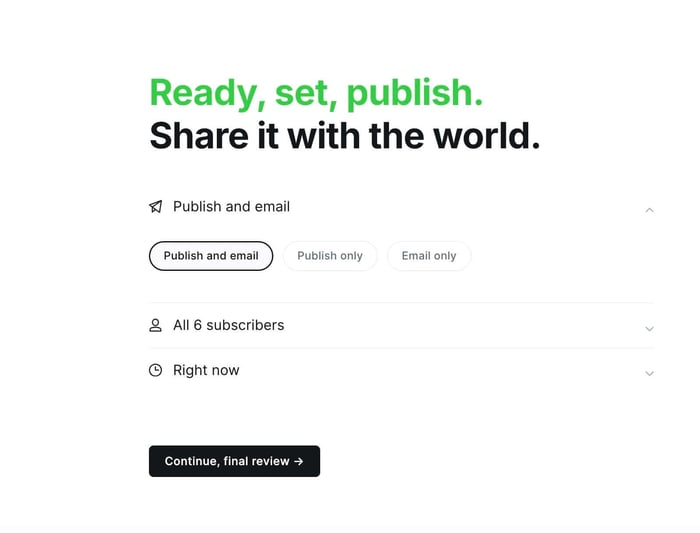
One of Ghost’s most notable features is its built-in membership system. The platform lets you easily turn your blog content into a newsletter and send it to your audience. The audience segmenting features are a nice touch, allowing you to send the right content to the right audience.
Then, you can decide whether you’ll share your content for free or tie it to a paid subscription. To turn your content into a recurring revenue stream, you can connect Stripe to your Ghost account. While Stripe fees can’t be waived, Ghost itself won’t impose any additional fees on you.
Performance and Hosting
Fast load times are another highlight of Ghost-powered blogs. With the self-hosted version, you have full control over your blog’s speed since you manage everything from servers and database setup to caching.
The hosted version of Ghost is fast by default. It uses modern technology stacks and, according to Ghost, is 1,900% faster than WordPress. Not only that, but you don’t have to worry about security and updates, either, because Ghost does all the work for you.
SEO and Content Management

In the SEO department, Ghost does an excellent job of preparing blog posts for search engines. You can easily access and manage your blog’s metadata, as well as customize URLs for individual posts.
Additionally, many essential SEO tasks are handled automatically by Ghost. The platform manages your site’s canonicals and applies structured data to your blog content. The cherry on top is that all of these SEO features are available out of the box, and you don’t need to install plugins to create Google-friendly content.
The platform doesn’t natively support SEO analysis tools, so if you need on-page guidance or keyword optimization, you’ll have to rely on external solutions or consider a blogging platform that has a built-in SEO analysis tool.
Themes and Design
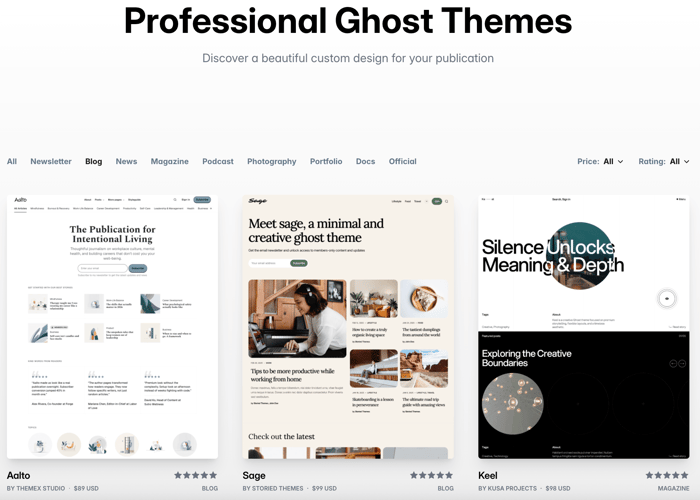
Ghost’s theme marketplace has around 200 themes, and about 10% of them are free. The good news is that all themes look great out of the box, so you don’t need to do much to make your blog look nice.
To customize your selected theme, you’ll need some knowledge of HTML and CSS, which may be a barrier for non-technical users who want full design control. Still, if you want to make some minor design changes, Ghost’s editor comes with a user-friendly theme customizer, so making the changes should be simple enough.
Integrations and API
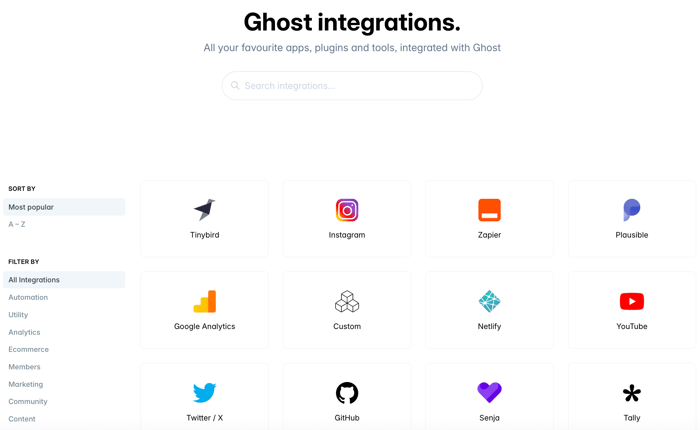
Integration-wise, Ghost lets you integrate your blog with thousands of apps. Most of these integrations are handled through Zapier, API keys, and webhooks. You can also use HTML cards to add code embeds to your blog, as well as inject code into your site’s header and footer for integrations like analytics.
Compared to WordPress, Ghost is trailing behind in integrations. This is intentional because Ghost doesn’t want to cover all available options. It gives you some room to extend your site’s functionality without overwhelming you with choices.
If your main goal is adding a blog to an existing marketing site, starting a blog with DropInBlog is simpler than migrating everything to Ghost or WordPress. Test it FreeGhost Free vs. Paid Plans
Ghost doesn’t have a free plan for its Pro version. The closest thing to a free Ghost plan is its self-hosted version, but even with this option, you have hosting costs. Not to mention that the self-hosted version is operationally complex.
Before you decide to use it, take a look at how it compares to the hosted version in terms of setup, maintenance, and flexibility.
| Ghost(Pro) | Self-hosted Ghost | |
|---|---|---|
Setup time | A few minutes | 1+ hours |
Hosting and updates | Handled for you | Handled by you |
Performance | Optimized by Ghost | Depends on your hosting provider and setup |
Cost model | Monthly/yearly subscription | Depends on the services used |
Customization | Theme-based | Highest level of customization |
Support | Forum | |
Best for | Publishers who need a managed blogging platform | Developers who need full control and flexibility |
As you can see, the hosted version requires less work and may be a better fit for users without a technical background.
If you want to see how Ghost(Pro) works, you can use the platform’s two-week trial. After that, you’ll need to choose one of the platform’s pricing plans.
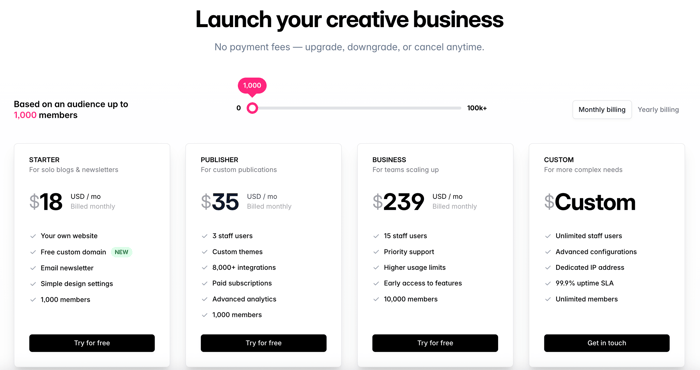
The pricing is based on the number of members. The entry-tier plan, Starter, costs $18/month and includes 1,000 members. If you exceed the member limit, you’ll have to switch to the Publisher plan, which is designed for publications with 1,001+ members.
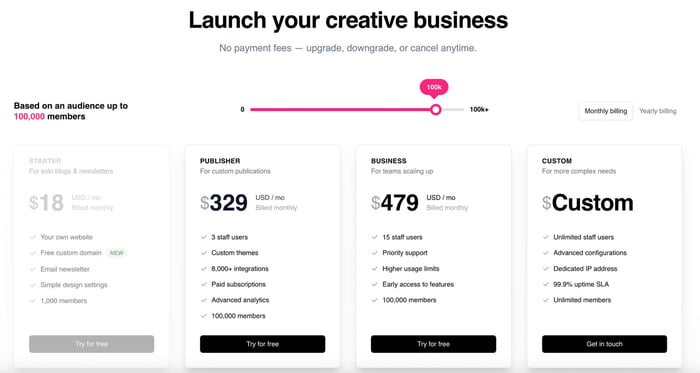
Member count isn’t the only price differentiator. With higher-tier plans, you also get more staff accounts, access to a larger number of integrations, and higher usage limits.
Now, let’s explore these pricing plans in more detail.
Ghost Pricing Overview
Ghost(Pro) has four pricing plans, with the most expensive option targeting large businesses that exceed member-count limits. The other three have member, staff, and usage limits.
Starter: This plan includes 1,000 members, one staff account, and basic analytics and integrations. It doesn’t support paid subscriptions. For that, you’ll need the Publisher plan. The Starter plan costs $15/month with an annual subscription and $18/month with monthly billing.
Publisher: This plan includes 3 staff accounts, paid subscriptions, the option to install a premium Ghost theme, and advanced analytics and integrations. Pricing starts at $35/month and goes up to $329/month, depending on the number of members on your site.
Business: With this plan, you get 15 staff accounts, higher usage limits (i.e., more subscription tiers and newsletters), and higher upload limits. The pricing starts at $239/month and includes 10,000 members. Anything more than that increases the price to up to $479/month.
Custom: This plan includes unlimited members and staff accounts, and the features you’d expect from an enterprise-level blogging solution, such as SLAs and SSO.
In a nutshell, Ghost’s pricing is well-suited for publishing businesses that can monetize memberships. On the other hand, for businesses with large audiences that don’t monetize their content or need large member systems, Ghost can easily be overkill.
Pricing Reality Check
Looking at Ghost’s pricing, it’s clear that the platform offers plans for businesses of all sizes, from solo bloggers to growing and large businesses. The problem is that although the pricing is predictable, it can easily outgrow your budget if you have a large audience but no content-based revenue.
The companies likely to see a solid return on their investment are those whose content is the product. Companies with a free newsletter, however, may not be able to justify Ghost’s costs.
The ROI of Blogging
Do you want basic content, or content that generates traffic and converts? Join our monthly newsletter where we discuss the latter.
Ghost vs. WordPress vs. DropInBlog
If you’re still keeping your options open, take a look at how Ghost compares to other blogging platforms. The table below compares the hosted versions of Ghost and WordPress, and a professional blogging app, DropInBlog.
| Ghost | WordPress | DropInBlog | |
|---|---|---|---|
Maintenance burden | Low | Moderate | Very low |
Integrations | Moderate | Extensive | Moderate |
Editorial workflow | Designed for content teams | Flexible (with plugins) | Designed for content teams |
SEO control | Great/built-in | Great (with plugins) | Excellent/built-in |
Cost variability | High | High | Low |
Customization | Moderate | High | High |
Best for | Content-oriented, membership sites, newsletters | Complex multi-purpose sites | Adding a blog to an existing site |
Is Ghost a Good Fit for Your Business Model?
At this point, you should consider whether Ghost fits your business model. Among some of the many companies that use Ghost for blogging, you’ll find some big names, including Airtable, Unsplash, Duolingo, and Volusion.
You’ll also find companies that switched from Ghost, including Gusto and Revolut. What these companies have in common is that their product isn’t content. While Ghost has a strong reputation among blogging companies, it’s not the best fit for every business.
Companies in the SaaS space, e-commerce platforms, and enterprises need more than a blog. They need marketing, product, and landing pages, which aren’t Ghost’s strongest suit. In case you’re wondering – yes, you can create non-blog pages in Ghost, but those pages aren’t that different from posts.
In Ghost, pages work like this: you create a page without a title or featured image, then use supported elements to build something different. However, creating pages this way requires far more creativity or technical knowledge than what you’d need with a traditional page builder or a CMS like WordPress.
If you want to build a subscription business, Ghost is great. If you need an all-purpose CMS, you may want to consider other platforms.
If you need powerful blogging infrastructure that’s easy to use, you should look into DropInBlog.
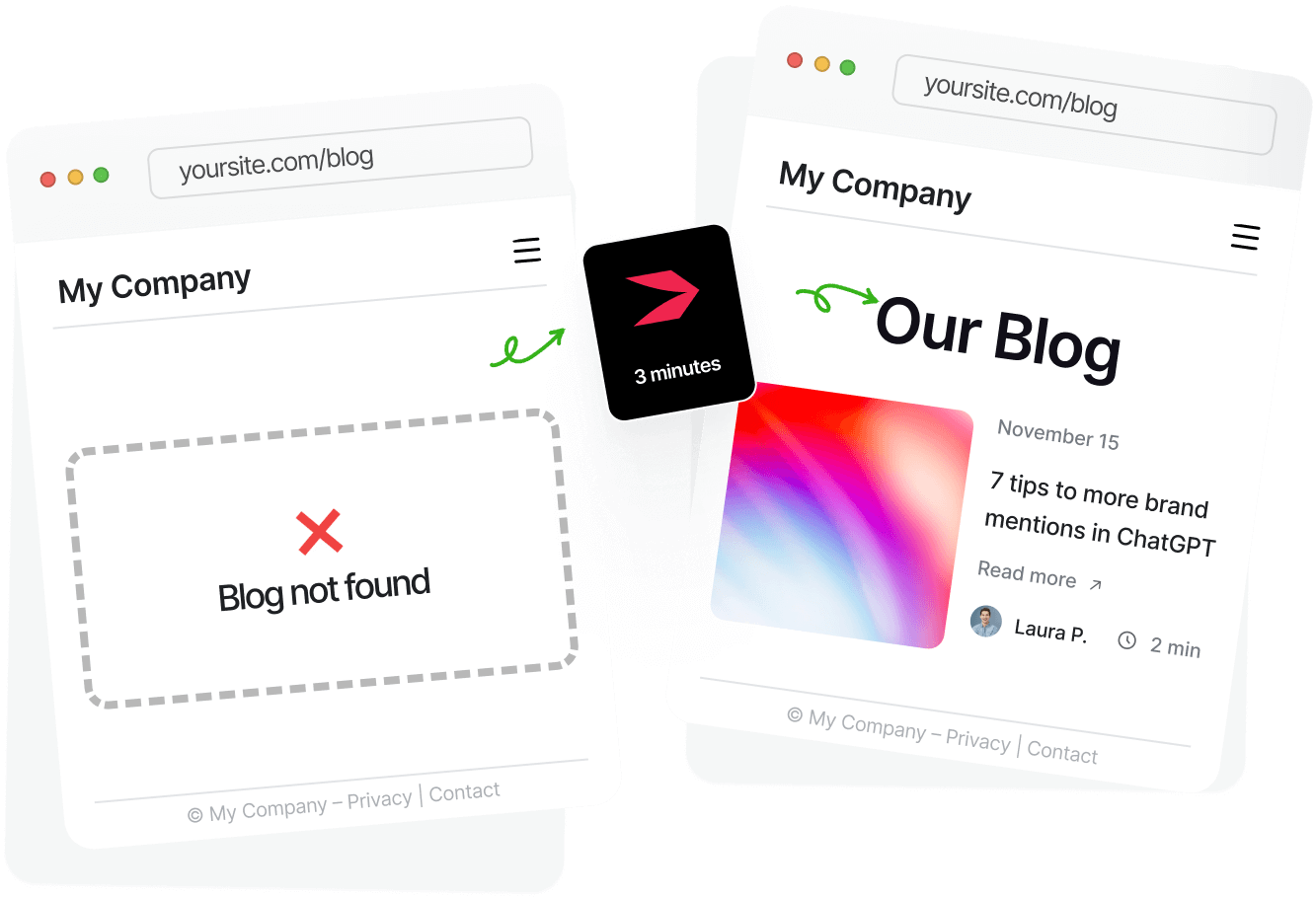
It takes 3 minutes to set up, and marketers find it way easier to use than Ghost or WordPress. Start a 7-day free trial.
Strengths of Ghost
Clean Publishing Experience
One of Ghost’s biggest strengths is its content editor. The highlight here isn’t the scope of the supported elements, but rather its clean interface. You can easily focus on your writing and configure everything else later. The SEO and publishing options are neatly tucked in on the right side of the editor, yet everything you need to publish SEO-friendly content is at your fingertips.
Built-in Memberships
Memberships are one of the Ghost features that differentiate it from other blogging platforms. They also clearly define Ghost’s primary goal: to help users monetize their content through member signups. And perhaps the best part is that the membership feature is available out of the box, without installing third-party plugins.
Exceptional Performance
As mentioned earlier, Ghost blogs are optimized for speed. They’re created on a lightweight Node.js-based architecture. They also use lazy loading and image compression, which further improve loading times. Plus, the intentional lack of plugins significantly reduced server load, which explains why, according to Ghost itself, Ghost is 19 times faster than WordPress.
Common Ghost Complaints
Limited Customization Without Developers
Ghost intentionally limits the layout structure, which means you have fewer options to customize your blog’s design – unless you have some coding knowledge. Without this knowledge, you won’t be able to make significant design changes.
Smaller Plugin Ecosystem
The platform’s marketplace features just over 100 plugins, created in response to user demand. Moreover, the integrations marketplace isn’t open to submissions. The obvious conclusion is that Ghost isn’t very flexible when it comes to adding extra functionality to your site.
With WordPress, on the other hand, you have thousands of plugins. You also have more community content designed to help you add almost anything you can think of to your site, whereas with Ghost these choices are limited.
Not Ideal for Marketing Sites
According to Ghost reviews, you can create a beautiful blog, but not much more than that. The platform isn’t built for creating multi-purpose websites. So, if you want to create a landing page, for example, your choices will be quite limited.
Ghost doesn’t have a visual builder that lets you create different page types for your site, which makes it a good blogging tool if you use it only for your blog. For other pages on your site, you won’t get the flexibility you’d get from a traditional site builder or a platform like WordPress.
Getting Started with Ghost
Step 1. Sign Up for a Ghost Account
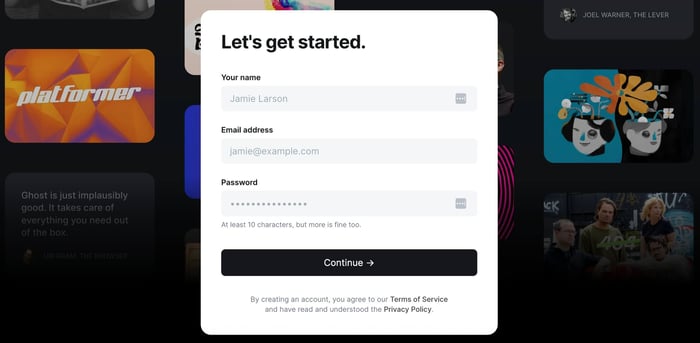
The Ghost(Pro) signup process is fairly straightforward. You need to create your login credentials first. Then, since Ghost doesn’t have a free plan, you can test its features for 14 days only after you add your credit card details. After that, you can also connect your Stripe account if you plan to monetize your blog’s memberships. Don’t worry, you can integrate Stripe with Ghost during your free trial.
Step 2. Set Up Your Workflow
Once you’ve set up an account on Ghost, we recommend configuring your theme first to ensure a consistent design. Start by adding your logo, brand colors, and typography, then choose your preferred post layout.
When you’re happy with how your site looks, move on to configuring your site’s membership plans. If you plan to monetize your content, it’s best to offer a free trial for paid plans.
At this point, you can focus on creating content for your blog.
Step 3. Start Building Your Blog
Creating content in Ghost is pretty straightforward. From the admin panel, you can create posts, customize metadata, assign authors and tags, and publish in a few clicks. The editor keeps all of the formatting and SEO controls accessible at all times without overwhelming the interface.
Tips for Running a Successful Blog on Ghost
To get the most out of blogging on Ghost, consider the following tips:
Don’t spend too much time on theme customizations: Your blog design should highlight your content, not draw focus away from it.
Plan your content’s monetization strategy early: Since you don’t want to attract the wrong audience, plan your content and conversion methods at the beginning of your blogging journey. That way, you’ll easily scale it as your audience grows.
Use an external analytics tool: If your marketing site is built on another platform, use an external analytics tool to get a more complete picture of what works and what doesn’t across all your site pages.
Limit the number of integrations: Ghost works best when not overloaded, so avoid connecting your Ghost site to too many third-party tools.
But it doesn’t end there. In order to run a truly successful blog, you can either:
Do your own research every 1-3 months. New blogging strategies and SEO best practices are emerging on a weekly basis, especially with AI in play. The content strategy you developed a year ago might be outdated already.
OR
Join DropInBlog’s monthly newsletter. The team at DropInBlog is always doing research in order to make the product itself better. Everything they discover is shared once per month with all the subscribers. Enter your email below and never miss a tip.
Ghost Alternatives
Ghost can be a great choice for blogging, but it all depends on your requirements. You shouldn’t select it just because big companies are using it, or because Ghost is often recommended. Your blogging platform should match your specific needs, so it’s always a good idea to explore Ghost alternatives as well.
1. WordPress
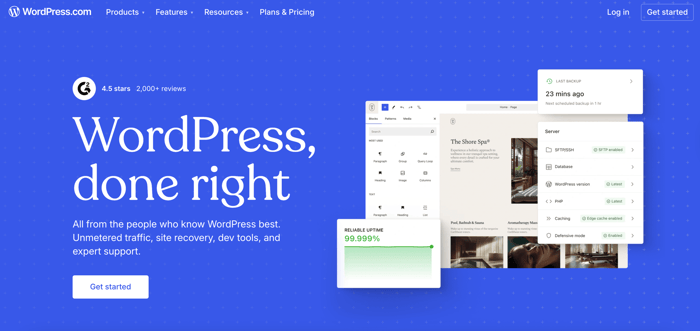
Who it’s for: Users who want a flexible blogging solution with more customization options and functionalities.
Cost: Varies between hosted and self-hosted versions. Depends on hosting, plugins, and themes.
Why use it: It has more plugins, themes, and is, in general, a more flexible solution.
Hosted or self-hosted – WordPress focuses on providing its users with an abundance of options for nearly everything. You can use the CMS to create and manage your entire marketing site, including a blog.
Apart from the platform’s exceptional flexibility, its massive user base can help you get the most out of your blog – that is, if you’re not thrown off by the complexities that come with managing a full-featured CMS.
2. Webflow
Who it’s for: Design-first teams, with or without technical knowledge
Cost: Ranges between $18 and $49/month. A free plan is available, but it’s heavily limited.
Why use it: Provides greater design control.
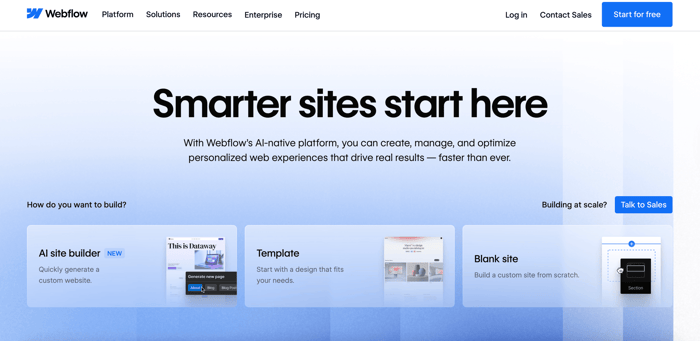
One of Webflow’s key features is its no-code nature. Thanks to this, you can create stunning designs for your site. Unlike with Ghost, you don’t have to edit your theme’s code. Instead, you work with a user-friendly interface where you can preview all the changes as you make them.
Webflow is also more suitable for multi-purpose sites. It has an extensive library of site templates, counting thousands of templates for different site types. These templates include blogging, which makes it easy to add a blog to your marketing site.
3. Substack
Who it’s for: Newsletter-only creators
Cost: 10% of all paid subscriptions
Why use it: It’s simple, easy to use, and free.
If newsletter signups are your primary goal, Substack may be a good alternative to Ghost. The free email monetization platform lets you create blogs and podcasts, and like Ghost, connect your Substack account to Stripe.
This alternative doesn’t eliminate Ghost's limitations, though. With Substack, you have fewer customization options, and you can’t create a real multi-purpose website. However, if you’re looking for a simple way to monetize your subscriber base and web appearance is secondary, Substack may fit the bill perfectly. Speaking of bills, the platform is free, but it takes a 10% share of your earnings.
4. DropInBlog

Who it’s for: Teams that already have a site
Cost: From $39/month on a yearly plan and $49/month on a monthly plan
Why use it: Offers flexibility without rebuilding infrastructure.
Another Ghost alternative is DropInBlog, which is an embeddable blogging tool. That means that you can use the platform to add a blog to a site you already have. The benefit of using DropInBlog is that it works with the platform where your marketing site was created, as well as with the tools you already use.
Its primary focus is on SEO-friendly content, supported by built-in SEO features and a proprietary SEO analysis tool. Other features that make DropInBlog a strong candidate include automatically applied structured data, the AI text-to-speech engine, and reusable content blocks. With DropInBlog, you can add a blog to your site without making changes to the tech stack you’re already using.
Five minutes from now, you can have a great blog live on your site. DropInBlog Free Trial
Who Should Use Ghost?
Ghost May Be for You If
Ghost is a great blogging option for users who want to monetize their content. The platform also scores extra points for its excellent performance, so if you want to create a blog that doesn’t take ages to load, Ghost may also be a good fit for you.
If Ghost ticks the boxes so far, we also invite you to consider the technical constraints that come with it. If you don’t mind limited customization and layouts, and you already handle your main site elsewhere, you can take Ghost for a test ride.
Ghost Is Not for You If
On the other hand, we don’t recommend Ghost in the following scenarios:
You want a drag-and-drop design. WordPress or Webflow may be a better fit in this case.
You want a marketing CMS. If you want to build your entire site on a single platform, consider a full-featured CMS like WordPress.
You need dozens of integrations. If you want to extend your site’s functionalities without too many restrictions, consider WordPress or Webflow.
You want full creative control without code. If the visual aspect of your site is essential to you, Webflow’s no-code builder may be a better fit.
You’re a SaaS, e-commerce, or enterprise business that needs your blog tightly integrated with your marketing site. In this scenario, DropInBlog may be a better option because it works seamlessly with the tools you already use.
FAQs
Is Ghost a good writing platform?
Yes, Ghost is well-known for its distraction-free writing experience and makes it easy to create and publish content for your blog. Whether it’s a good fit for your business is an entirely different story. If you monetize your content and newsletter signups, Ghost can be a good writing platform for your business.
Is Ghost good for SEO?
Yes, Ghost has a host of SEO features built into its blogging tool. It allows you to set meta tags for your blog posts, and automatically creates XML sitemaps and structured data. Additionally, it’s optimized for speed, which further improves SEO.
Should I use Ghost or WordPress?
That depends on your requirements. Use WordPress if you need a multi-purpose site with a blog, customizable design, and a wide plugin pool. Ghost, on the other hand, is a great fit for blogging sites with newsletter-based memberships.
How much does Ghost cost?
Ghost’s pricing for the hosted version (Pro) ranges from $18/month to $479/month and depends on the number of members your site has. The self-hosted version is free to download and install and, at a minimum, involves hosting costs.
Final Word
So, is Ghost a good choice for blogging? It depends on how you use it. If you plan on monetizing memberships, Ghost is likely to meet your expectations. The problem appears when you expect it to work like WordPress or want to create everything with it. It simply isn’t built for multi-purpose sites and design experiments – it’s “just a blogging platform.”
Our advice is to think carefully about what you want to accomplish with Ghost, rather than using it just because others are. If it matches your business model, give it a go to see if you can use it in the long run. If not, consider other blogging solutions, such as DropInBlog.