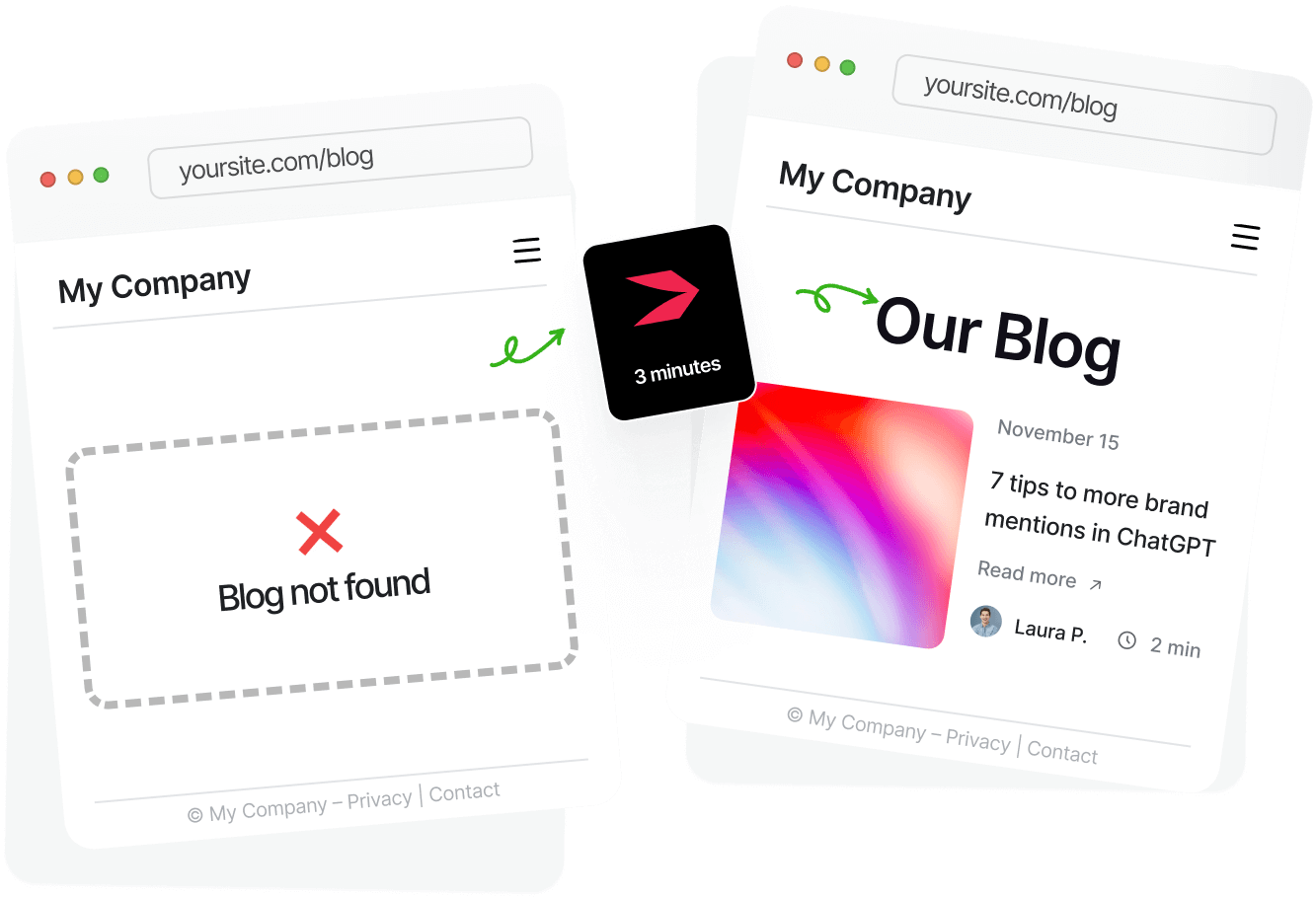

You can create a blog on Replit using a template or prompt, or build it from scratch. Or you can use DropInBlog, the blogging app that integrates seamlessly with Replit and meets all your content management needs. In this guide, we’ll show you the easiest way to add a blog to your Replit project.
Table of Contents
- TL;DR: Add a Blog to Replit in 3 Easy Steps
- Limitations of the Blog Integration Methods Replit Suggests
- How to Create a Replit Blog in Two Steps Using DropInBlog
- Add New Content to Your Replit Blog
- Optimize Your Content for Search Engines and LLMs
- Customize Your Replit Blog’s Design
- Create Reusable Content Blocks with Smart Snippets™
- Turn Your Written Content Into Audio with Blog Voice AI™
- Moving Away From Replit? Take Your Blog With You
- FAQs
- Create a Blog on Replit with DropInBlog Today
TL;DR: Add a Blog to Replit in 3 Easy Steps
Copy and paste the Replit prompt.
Add your blog ID and API.
Publish your new Replit blog.
Limitations of the Blog Integration Methods Replit Suggests
Replit suggests the following blog integration methods:
Creating a blog with a static site generator, Quartz, which comes with a lengthy setup
Integrating Notion with Replit and pulling your blog content from it
Asking the Replit Agent in plain language to create a blog for you
Using a template to create a static blog with the AstroJS framework
While all these blog integration methods are viable, they all have some limitations. Some lack the basic blogging features, such as comments, categories, and a traditional editing interface. Others have a lengthy, technical setup. And some aren’t scalable, which makes them appropriate only for small, personal blogs.
On the other hand, you can bypass all of these limitations with DropInBlog. The blogging platform lets you add a blog to any platform, regardless of your technical background, the blog type, or its size.
Prompt-based, AI blog creation | Replit blog templates | DropInBlog | |
|---|---|---|---|
Easy setup | ✓ Yes | ✗ No | ✓ Yes |
Content editing | Prompt-based | Manual/code-based | Visual content editor |
SEO features | Must be added manually | Depends on the template / added manually | Yes (advanced SEO features) |
Suitable for large blogs | ✗ No | ✗ No | ✓ Yes |
Scalability | Low | Low/Medium | High |
Predictable costs | ✗ No | ✗ No | ✓ Yes |
Here’s how you can create a blog on Replit with DropInBlog.
How to Create a Replit Blog in Two Steps Using DropInBlog
Before you start the integration process, create a DropInBlog account using the platform’s free trial.
Step 1: Copy and Paste the Blog Prompt
Log in to your Replit account and open the project you want to add a blog to. Then, navigate to your DropInBlog Code & Layout page and copy the Replit prompt under Step 1.
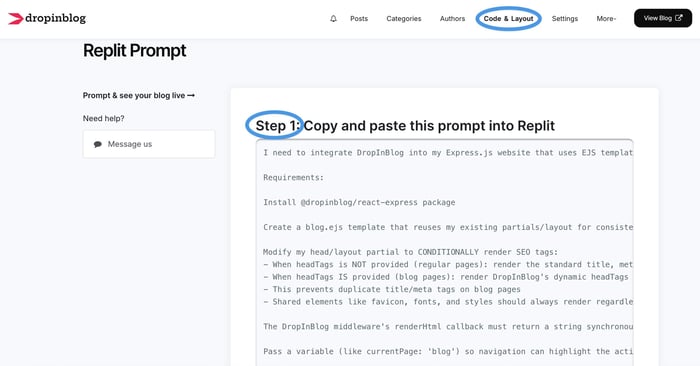
Return to your Replit account, paste the prompt into the input field on the left, and press Enter to run it.
Step 2: Add Your Blog ID and API Key
As soon as Replit analyzes your prompt, it’ll ask you to enter your blog ID and API key.
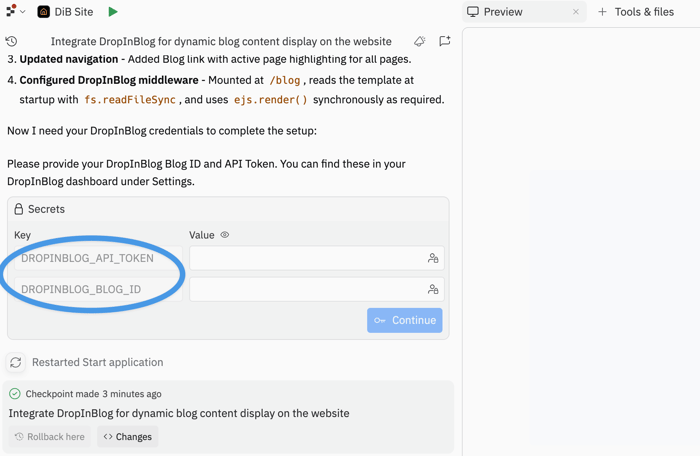
You’ll find these on the Code & Layout page of your DropInBlog account under Step 2.
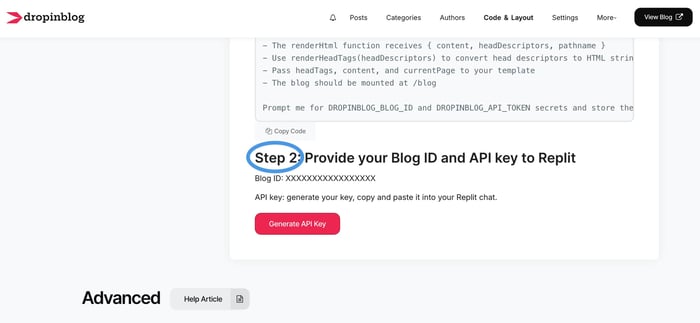
So, copy your blog ID and paste it into the corresponding field in Replit. After that, return to your DropInBlog account, click on Generate API Key to get your API key, and paste it into the API Key field in Replit.
Click on Continue, and wait for Replit to add a blog to your project. It’ll also add a menu link for your new blog, and the only thing left for you is to save your changes by selecting Republish from the top-right.
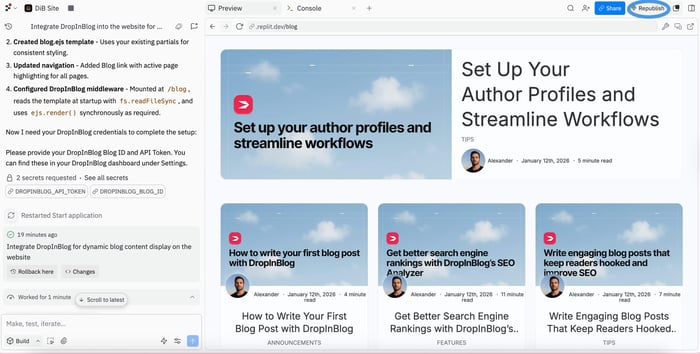
Your Replit blog is now live!
Try DropInBlog for free on Replit and publish your first post in minutes.
Add New Content to Your Replit Blog
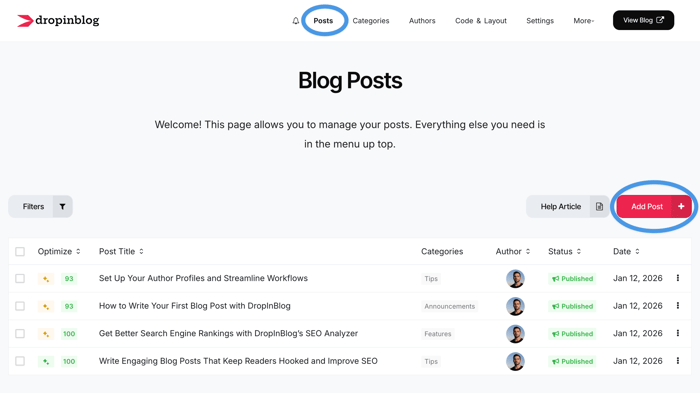
Now, you can add new blog content, which you’ll be doing from your DropInBlog account. To create a new blog post, navigate to the Posts page, then click on the Add Post button.
On the next page, you’ll see the DropInBlog editor and the features it offers. Using the editor, you can easily add anything from text to images to CTA buttons to FAQs. All of these options help add variety to your content, thus making it easier to read and digest.
On the right side of the editor, you’ll find the post settings, which allow you to assign an author and category to your post, and select the blog posts you want to display below your post content. Adding related content to your posts increases the average time visitors spend on your site, which has a positive impact on your blog’s rankings.
Optimize Your Content for Search Engines and LLMs
Speaking of ranking and search engines, DropInBlog offers several tools and features to improve your blog’s visibility in search engines.
First, the platform’s native SEO analysis tool ensures your content is optimized for your target keywords. It offers real-time suggestions on keyword usage, internal linking, and other SEO best practices.
Apart from these suggestions, you can also improve your content’s AI discoverability with Mention Boost™. This tool guides you through best practices for preparing your content for AI-based search tools like Google’s AI Overviews and ChatGPT. Incorporate the suggestions it gives you, and your content’s chances of earning AI mentions may significantly improve.
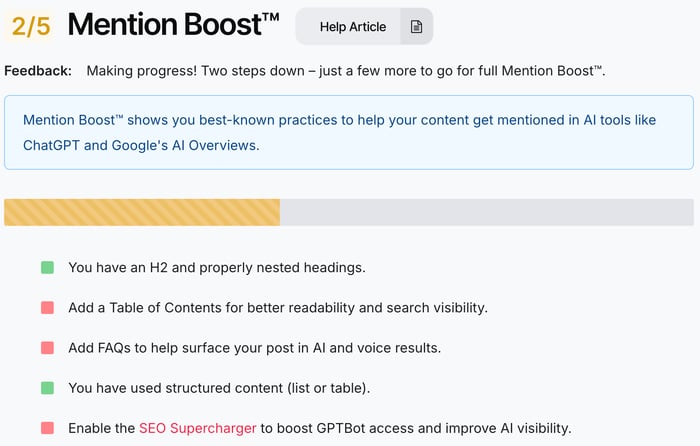
In addition to these tools, your content also has schema markup automatically applied to your blog posts and author profiles. That means your content will be ready for rich results, and search engines will better understand it.
Customize Your Replit Blog’s Design
When you create a blog on Replit with DropInBlog, your blog page will blend in with the rest of your Replit site. The brand colors, fonts, and other design settings from your Replit site will be automatically applied to your blog. If, at any point, you want to change the design of your blog, you can use the Design Customizer, located on the Code & Layout page of your DropInBlog account.
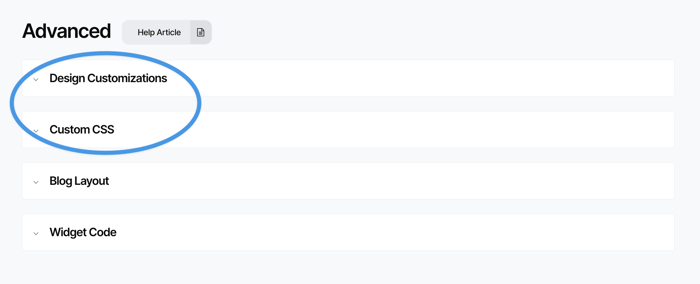
For minor changes, like the color of your CTA button, use the Design Customizer; for bigger ones, use the Custom CSS section.
Create Reusable Content Blocks with Smart Snippets™
DropInBlog offers a feature called Smart Snippets™, which helps create and edit a piece of content across a single or multiple instances. An example of a Smart Snippet would be a newsletter sign-up form.
You can use the Smart Snippets™ editor to decide on the exact placement of the form. Again, you can add the snippet to a single blog post, only a few, or all of your blog posts. The best part is that once you update a snippet in one location, it will automatically be updated everywhere, allowing you to easily make global changes to your content.
Turn Your Written Content Into Audio with Blog Voice AI™
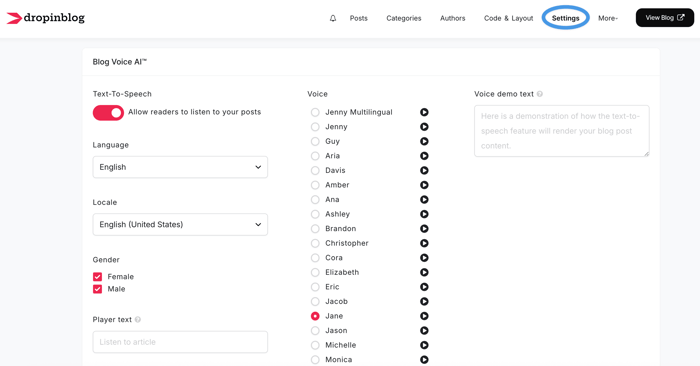
Another DropInBlog’s notable feature is Blog Voice AI™, a text-to-speech engine. You’re already using AI to build an app or site, so why not use AI on your blog, too? This feature is part of DropInBlog’s standard offering and converts your written content into audio.
It’s turned on by default, but if you want to customize the sound of your blog, you can find the settings for this feature on the Settings page of your DropInBlog account.
Moving Away From Replit? Take Your Blog With You
As you’ve seen, DropInBlog integrates seamlessly with Replit, but that’s not the only platform DropInBlog works with. Think about where your site might be five years from now. You may transfer your site to another platform, but the good news is that you don’t have to use another blogging platform.
Thanks to its platform-agnostic nature, DropInBlog works with almost any platform, and you can bring it with you if you decide to migrate your site.
FAQs
Is Replit an AI blog builder?
Yes, Replit can be used as an AI blog builder, but to manage your blog, you’ll probably need some coding knowledge.
Can I host a website or blog using Replit?
Yes, all apps, websites, and blogs built on Replit are hosted on a Replit subdomain. If you don’t want to use a subdomain, you can also connect a custom domain.
Can I create a blog on Replit for free?
Yes, you can create a small, low-traffic blog for free with the platform’s free Starter plan. However, as your blog and traffic grow, you’ll need to upgrade to a paid plan to keep it running smoothly.
Are Replit blogs SEO-friendly?
They can be if you instruct the agent to generate meta tags, suggest keywords, and implement structured data. On the other hand, you can use a dedicated blogging app like DropInBlog, which offers a host of SEO features to help you optimize your Replit blog without any coding or prompts.
Create a Blog on Replit with DropInBlog Today
There are many ways to build a blog on Replit. However, the blog integration methods that Replit suggests aren’t well-suited for:
Users who need a traditional blogging interface
Content-heavy blogs
Blogs with multiple authors and blog-specific user permissions
Non-technical users
If you fall into any of the above groups, you should try DropInBlog as an alternative that doesn’t have any of these restrictions.
Try it for free and see how it works with your existing workflows.
And if you have any questions, feel free to send us a message at any time.
Happy blogging!