
Table of Contents
- Final Verdict: Is Shogun Worth It?
- What Is Shogun?
- Shogun’s Key Features
- Shogun Free vs. Paid Plans
- Shogun vs. PageFly vs. GemPages vs. Replo vs. DropInBlog
- Is Shogun a Good Fit for Your Business Model?
- Strengths of Shogun
- Common Shogun Complaints
- Getting Started with Shogun
- Shogun Alternatives
- Who Should Use Shogun
- FAQs
- Should You Use Shogun?
Final Verdict: Is Shogun Worth It?
Shogun is a flexible page builder for Shopify and BigCommerce stores that lets you create anything from product and contact pages to custom landing pages. However, its basic blogging features and steep pricing make it less suitable for content-oriented stores and those with tight budgets.
Before you start using Shogun, take a look at the overview of its strengths, weaknesses, and pricing structure:
It’s a user-friendly page builder that lets you quickly build pages using pre-built templates, blocks, and reusable content sections.
The page builder supports conversion elements like forms, product embeds, and countdown timers.
The global snippets feature is particularly useful as it lets you add and update your content in one place and automatically apply the changes everywhere the snippet is shown.
Shogun’s built-in SEO supports meta data control, indexing rules (Shopify only), and partial URL customization for blog pages (on Shopify, the “blogs” part can’t be removed).
The lowest-tier plan limits the number of pages you can publish. The minimum cost of using Shogun is anywhere between $39 and $219/month.
In 2025, Shogun started excluding A/B testing and personalization features from its page builder app. Right now, new Shopify users need two separate apps to access these features, while BigCommerce users can still access them with a paid page builder plan.
You can use Shogun to create blog pages, but it’s not a blogging app. If you need a blog for your store, a dedicated blog app like DropInBlog may be a better fit.
What Is Shogun?
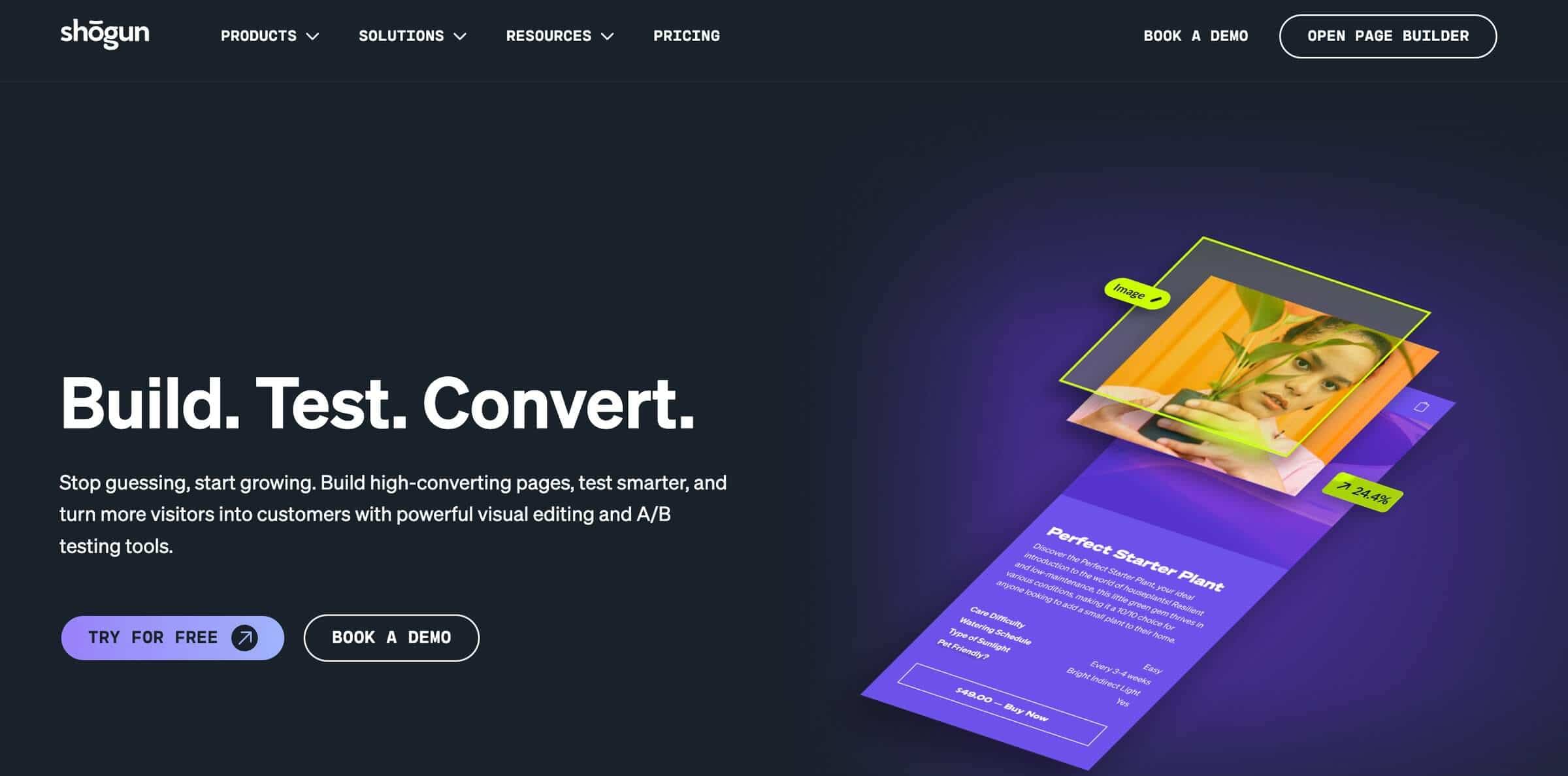
Shogun is a visual page builder launched in 2015. Its primary purpose was to allow Shopify users to create and design pages without using code. Over the years, Shogun expanded its product offer to A/B testing, personalization, and AI-powered tools. Until recently, most of these features were available in a single app, but now new Shopify users need to use (and pay for) two separate Shopify apps to access A/B testing and personalization features. BigCommerce users can still access these features with the page builder app, but considering Shogun’s Shopify app changes, that may change soon.
The page builder app enjoys overwhelmingly positive feedback, with over 1,700 five-star reviews on Shopify. The 4.81 rating on BigCommerce confirms that the app is equally well-received among users of this Shopify competitor.
But what exactly are users responding to?
Shogun’s Key Features
To understand why Shogun is so popular, we’ll look at the core features that make it useful for building and optimizing store pages.
Visual Editor and Building Experience
The Shogun page builder is drag-and-drop, and its learning curve is relatively low, especially for users familiar with visual editors. The page elements are tucked in the menu on the left, the design options are on the right, while the center of the page is where you add content.
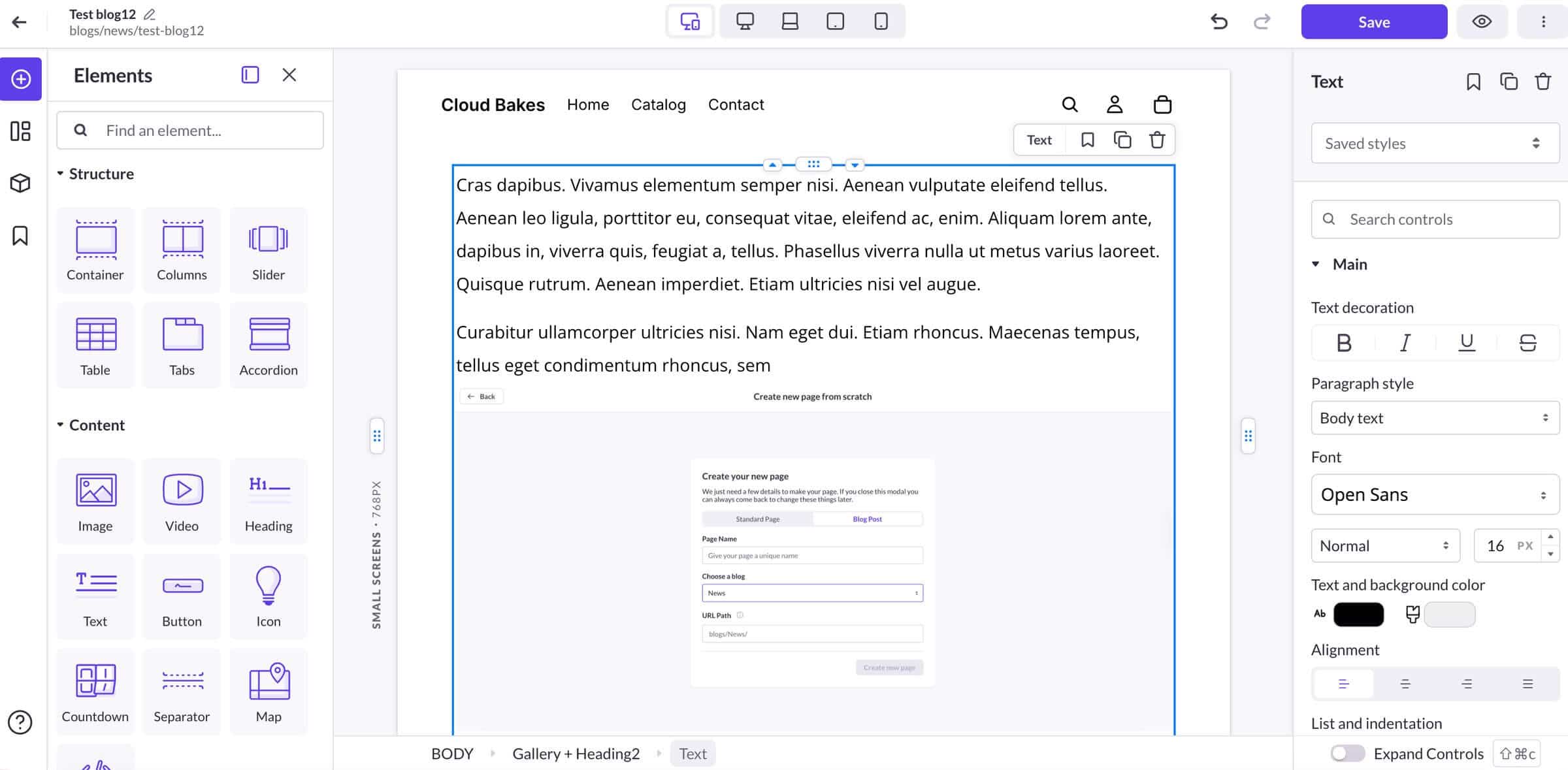
You build pages by dragging elements from the left-hand menu into the content area. You can then use the up and down arrows or the drag handle to move these elements around and place them anywhere you want.
Besides the basic elements such as text, headings, and buttons, the Shogun page builder also lets you add e-commerce features to your pages, including reviews, add-to-cart buttons, and products from your store. And if you want to add forms to your pages, you can use dropdowns, checkboxes, and submit buttons to build and design them from within the editor, too.
Templates and Blocks
The Shogun page builder allows you to build a page from scratch, use a page template, or import a page from your Shopify or BigCommerce store. Starting with a template is the quickest way to build a page, and the template library, with over 120 well-designed templates, has something for everyone’s taste.
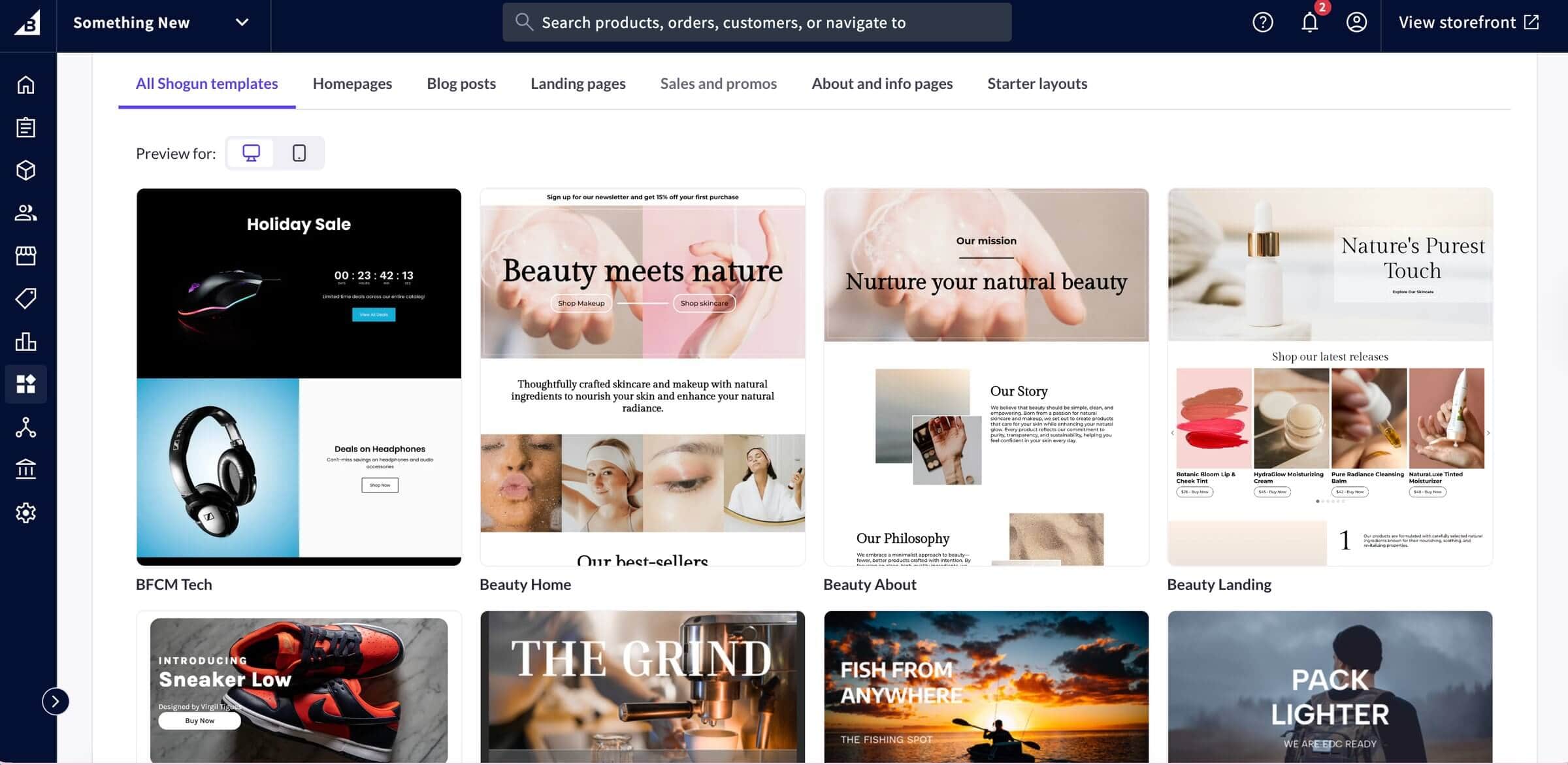
To further increase page creation speed, the Shogun page builder offers pre-built blocks that combine simple elements such as text, columns, and images. Using the blocks library, you can add featured boxes and FAQ sections in seconds.
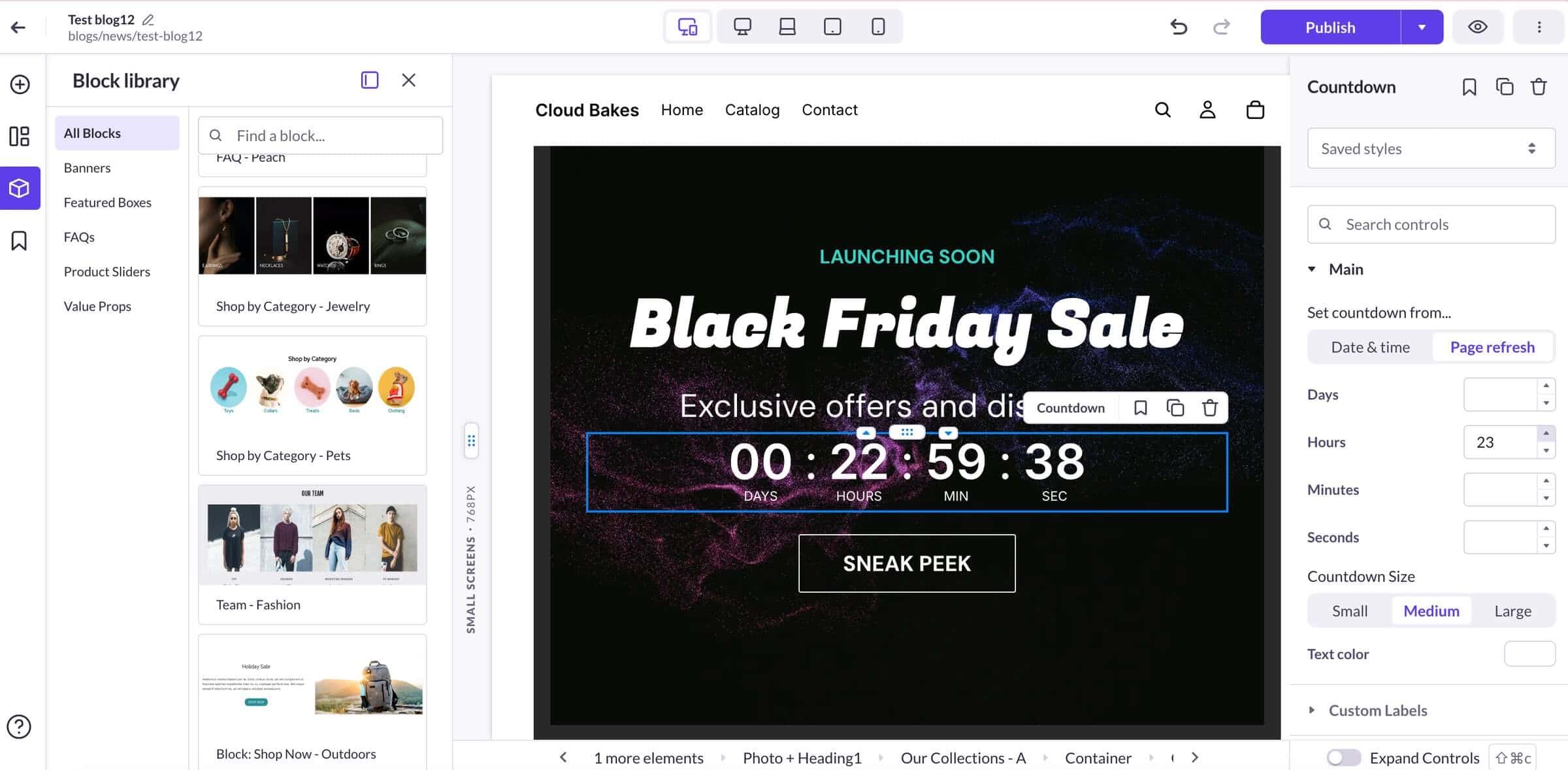
Apart from the pre-built blocks, Shogun lets you create your own blocks by combining any number of elements. This feature is called Snippets, and it lets you add a group of frequently used elements to any page with a single click. What makes the Snippets even more valuable is that they can be updated globally, but this feature is only available with the app’s high-tier plans (from $199/month).
A/B Testing and Personalization
One of Shogun’s main selling points is that it goes beyond basic page creation to support conversion rate optimization (CRO). However, those CRO features are now spread across Shogun’s broader product ecosystem, so Shopify users may need separate apps to access these tools.
With the right setup, you can serve different page, theme, template, and pricing variants and use the ones that resonate best with your audience.
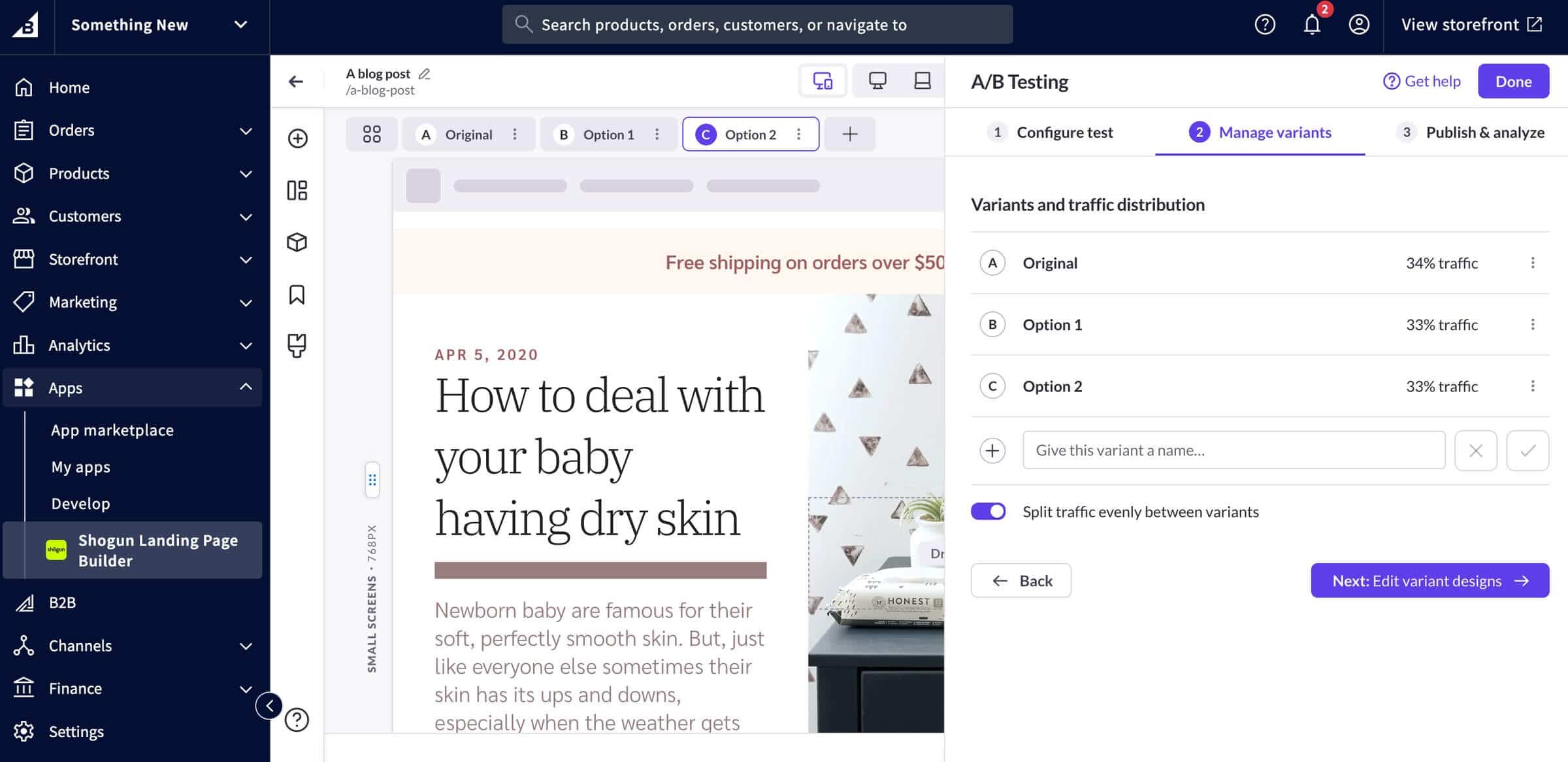
The personalization features also focus on helping you get more conversions. These features allow you to create personalized experiences and serve different content to different visitors. So, if a returning visitor lands on your store’s homepage, you can show them offers based on their previous interactions with your store. Or, if a user is from a specific location, you can display the current offers and shipping rates for that location.
However, if you want to use these features, you’ll have to purchase two separate apps if you’re a new Shopify user, or subscribe to the Build plan if you manage your store on BigCommerce.
SEO Features
As for Shogun’s SEO features, the page builder covers the basics.
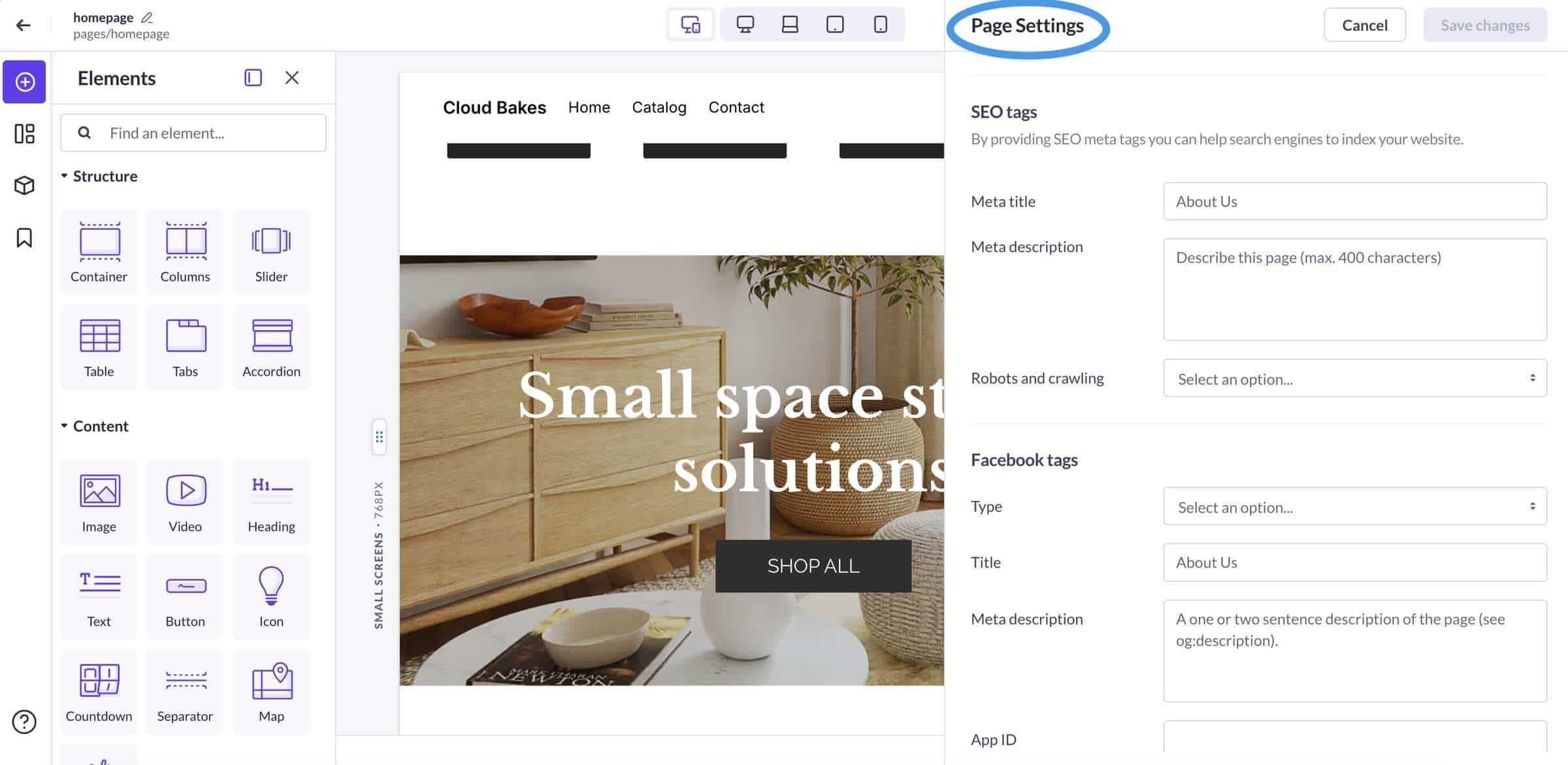
You can add title tags, meta descriptions, and image alt text, and partially customize page URLs. Additionally, Grow and higher plans include an AI-powered tool that automatically generates image alt tags.
Still, if you want to manage your site’s redirects, canonical URLs, or access more advanced SEO features, you’ll do that using Shopify’s or BigCommerce’s built-in SEO features or a third-party app.
Blogging Features
Shogun itself says that you can design blog pages with its page builder. It’s not a blogging tool or a CMS, but a no-code page builder supporting CRO features. It runs on top of the blogging engine infrastructure you already get with Shopify and BigCommerce. And as such, it inherits the limitations of these two blogging engines, including limited SEO and design control, as well as Shopify’s awkward “blogs/blog” URL structure.
When you start a new blog post, you can use the Content elements on the left to build a blog post page. Among these elements, however, you won’t find blog-specific elements such as comments, related posts, or categories. These elements come from Shopify or BigCommerce because, again, Shogun is a page builder, not a blogging platform.
If you want to invite team members to help you manage your blog or add authors to your Shopify blog, you’ll have to create a staff account for them. Shogun-powered blog pages will only display comments if you enable them in your Shopify admin. In other words, most blogging features depend on what Shopify and BigCommerce natively support.
Considering all of this, Shogun can improve how your blog pages look, but it doesn’t upgrade the underlying blogging functionality of Shopify or BigCommerce. So, if you’re trying to bypass their limitations, you may want to consider using a dedicated blogging app like DropInBlog.
Performance and Page Speed
Your store’s performance depends on how heavily Shogun is used and how many elements/scripts are added. It uses various tools and techniques to decrease page loading time. It delivers images via the UploadCare CDN, automatically compresses them, and uses lazy loading to reduce load times. Still, being a third-party app, it adds extra code and files to your pages, which can affect your store’s performance.
Then again, we can’t say that all stores using Shogun perform poorly – quite the opposite. Shogun does a lot to minimize its impact on your store’s speed. Whether that’s sufficient depends on how you use it. Some sources suggest you shouldn’t use Shogun for every page, but only for non-standard ones, like landing pages. Also, you should consider removing unnecessary page elements, as each of them loads its own JavaScript module, which can slow down your store.
Apps and Integrations
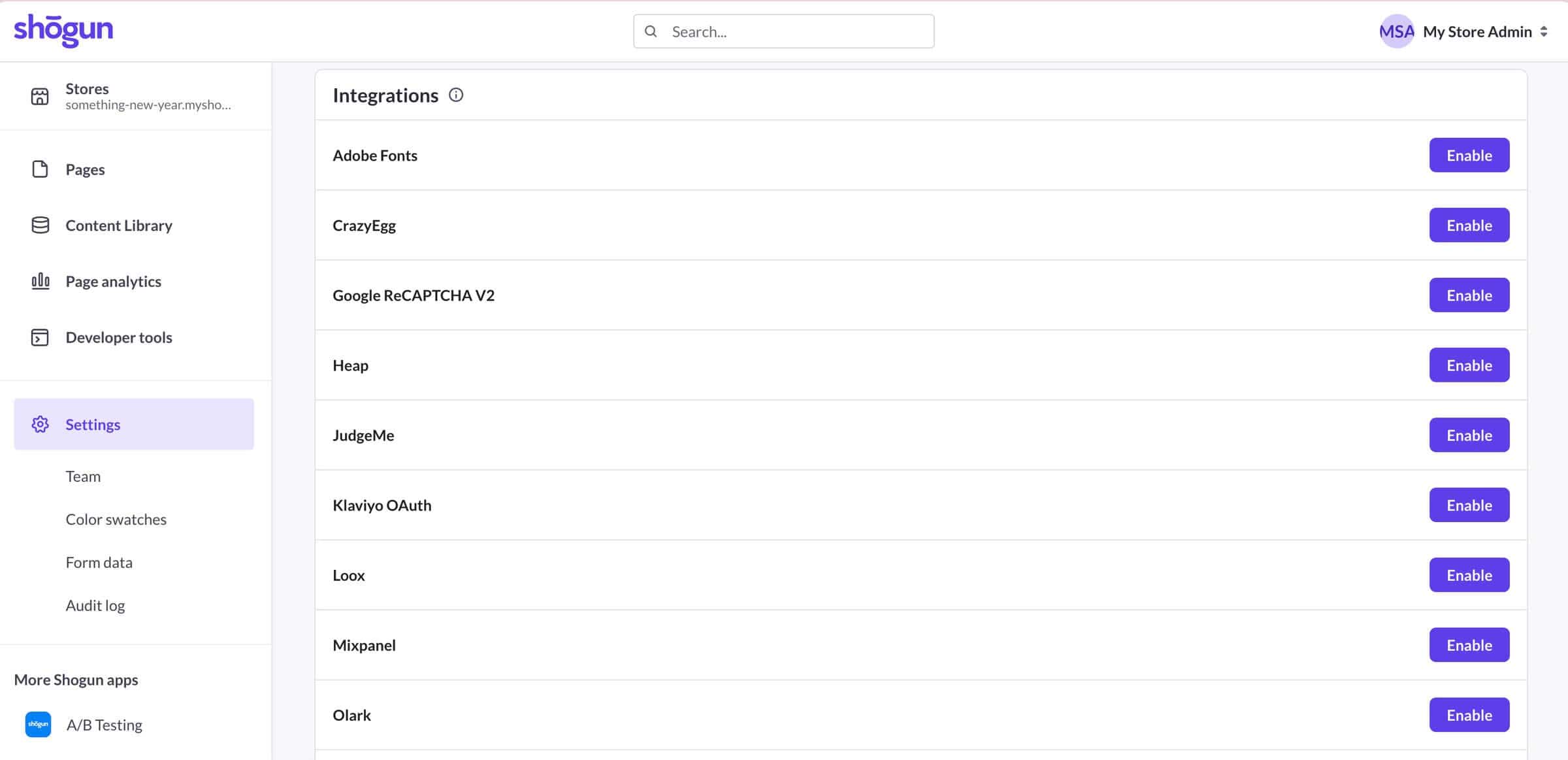
Shogun has limited integration capabilities and currently supports 10+ third-party apps. These apps are mainly analytics, pop-up builders, live chat, and digital experience platforms. On top of this, Shogun has its own form builder, and it allows you to add custom code via HTML.
On the other hand, the Shopify app doesn’t have a direct integration with Zapier, which limits how easily you can connect Shogun with other tools or automate workflows without using custom code or workarounds.
Shogun Free vs. Paid Plans
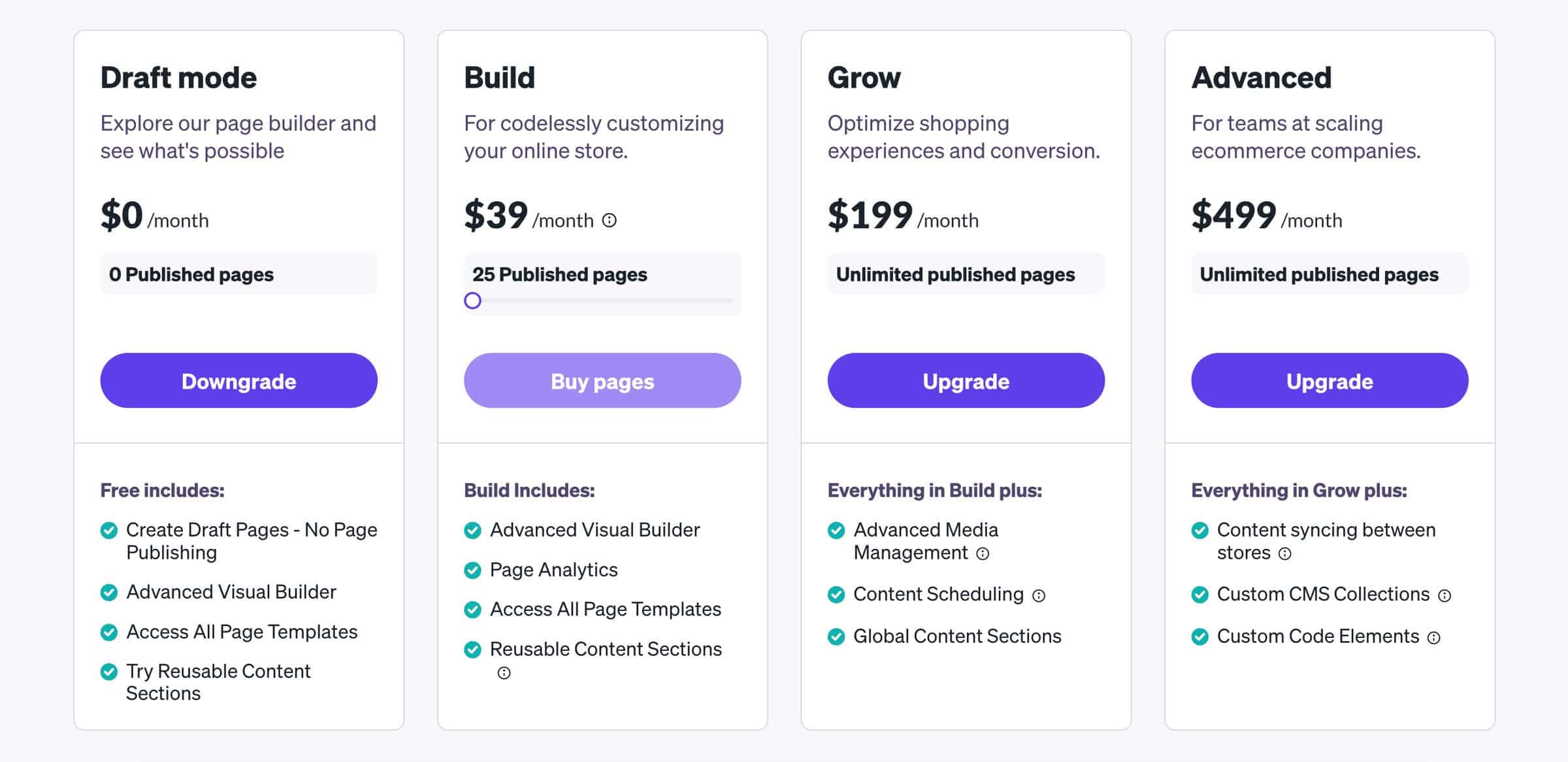
The Shogun page builder has four pricing plans: Draft mode, Build, Grow, and Advanced. Draft mode is the free plan that lets you see how the page builder works. You can create a page with this plan, but you can't publish it.
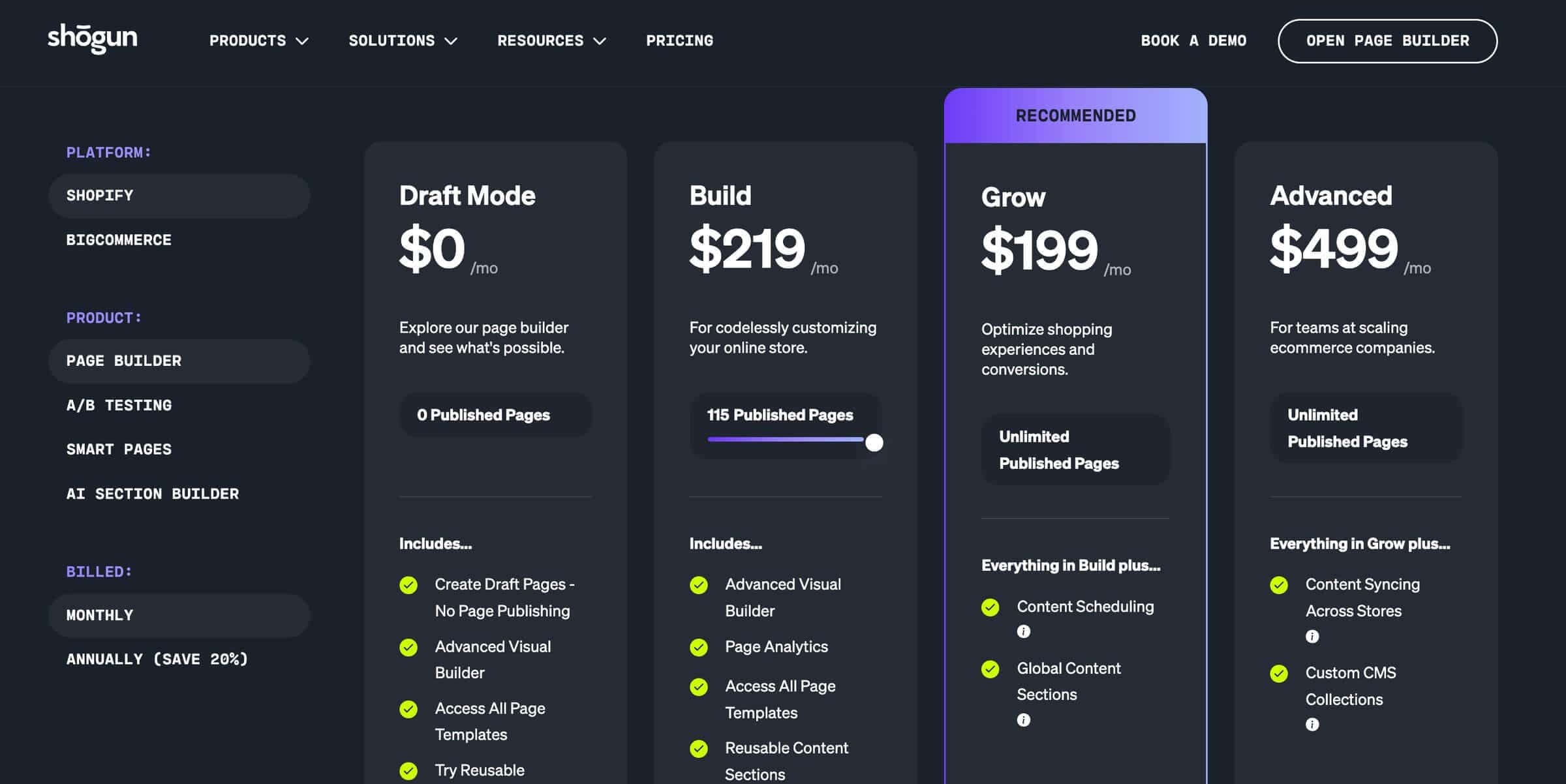
To publish the pages you’ve created with Shogun, you’ll need the Build plan. The price of this plan varies based on the number of published pages. The $39 price tag includes 25 published pages. Then, if you want to create more pages, the Build plan’s price increases from $39 to up to $219 for 115 published pages. In addition to publishing your pages, this plan allows you to use Shogun’s templates and create reusable content sections.
If you need an unlimited number of pages, you’ll need either the Grow or the Advanced plan. The Grow plan is priced at $199/month and unlocks additional features, such as bulk editing options for your store’s media and global content sections. The pricing becomes questionable when Build, which still limits published pages, can end up costing more than Grow. At that point, Build feels less like a practical option and more like an intentional push toward a higher-tier upgrade.
The highest-tier plan, Advanced, costs $499/month, and it supports custom code elements and CMS collections.
Shogun recently changed the features available in the page builder app, and now they are in separate apps. Before this change, users could use personalization and A/B testing features within the page builder; now new Shopify users need a separate app for personalization and another one for A/B testing, which significantly increases costs.
The price of Shogun’s A/B testing app ranges from $39 to $499, while the Personalization app has one paid plan at $199/month. The costs easily add up if you want to use both the page builder and its CRO apps.
Pricing Reality Check
While Shogun has pricing plans for both small and large stores, the app’s cost depends primarily on the number of pages you create. As we mentioned, the price of Shogun’s lowest-tier plan is $39/month, but it only includes 25 published pages. If you run a content-heavy store, the cost can climb to $219/month.
Shogun’s pricing also depends on how you plan to use the app within your broader content setup. It can help you design pages and improve conversions, but it doesn’t replace a dedicated blogging platform. So, if blog content and organic traffic are part of your growth strategy, your total cost may include both Shogun and a separate blogging app.
Page Builder vs. Blogging Platforms
A page builder helps you convert the traffic you already have, but you still need a blogging tool that will help you attract new traffic. Shogun isn’t designed for blogging, but DropInBlog is.
Discover how DropInBlog helps store owners increase organic traffic
Shogun vs. PageFly vs. GemPages vs. Replo vs. DropInBlog
Below, you’ll find a table to help you understand how Shogun fares against other page builders and blogging platforms.
| Tool | Category | Best for | Blogging/CMS | SEO control | Starts at |
|---|---|---|---|---|---|
| Shogun | Page builder (Shopify, BigCommerce) | Designing high-converting pages in Shopify and BigCommerce | Limited (used for designing blog pages) | Standard | $39/month |
| PageFly | Page builder (Shopify) | Creating flexible landing, product, and collection page layouts in Shopify | Basic (primary focus is on building landing pages) | Standard | $24/month |
| GemPages | Page builder (Shopify) | Creating high-converting Shopify pages, product pages, and funnels | Basic (primary focus is on building landing pages) | Advanced (via third-party plugins) | $29/month |
| Replo | Page builder (Shopify) | Creating high-converting Shopify pages, product pages, and blog pages with AI | Basic (primary focus is on building landing pages) | Standard | $119/month |
| DropInBlog | Dedicated blogging app (Shopify, BigCommerce, Wix, custom sites) | Creating SEO-friendly blog content that attracts organic traffic | Yes, a dedicated blogging app | Advanced (built-in) | See current pricing |
Shogun, PageFly, and GemPages are all page builders, and their blogging features are secondary to their core focus. Only DropInBlog is a dedicated blogging app, designed for blogging on ecommerce platforms like BigCommerce and Shopify.
If you’re thinking about using Shogun for blogging, consider the limitations of Shopify’s native blog. If the platform’s limited SEO, category, and author support isn’t a dealbreaker, Shogun’s extended design capabilities will help you create a well-designed blog. However, if you need more blog-specific features, you should consider using a blogging app alongside Shogun.
Is Shogun a Good Fit for Your Business Model?
Shogun page builder is designed for store owners who want to build polished pages without having to call a developer for every tweak. When paired with Shogun's A/B Testing and Personalization apps, it can help you get more out of the traffic you already have by turning more visitors into buyers.
But if your priority is attracting new traffic, a page builder alone won't get you there. Shogun is great for designing pages, but it isn't a substitute for a dedicated blogging platform. To grow your SEO, you need to publish optimized content regularly, and that’s where blogging apps have an advantage over page builders.
Start an SEO-friendly blog for your Shopify store with DropInBlog.
Strengths of Shogun
Shogun has an excellent rating and is often referenced as one of the top page builders for Shopify. These are the features that make it a top pick for Shopify and BigCommerce store owners:
Visual Page Builder
Shogun is quite intuitive. The page elements are on the left, and the design editing options are on the right. The middle of the page is reserved for the page content, and thanks to the live preview, you can immediately see all the changes you make.
Page Templates and Blocks
Another great thing about Shogun is that it has pre-built templates for landing pages, product pages, and homepages. The template library features over 120 templates and allows you to create new pages in a couple of clicks.
Pre-built blocks also speed up the page creation process, and among these, you’ll find click-to-insert FAQs, product sections, and banners.
Reusable and Global Sections
With this page builder, you can create reusable sections that can consist of text, images, forms, and any other page element. Then, instead of building them repeatedly from scratch, you can save entire page sections and add them to any page in a single click.
Shogun page builder also supports global sections. Global sections let you easily update your content. You can update a piece of content in one place, and when you check the global section box, that content will be automatically updated on all pages where it appears.
Common Shogun Complaints
The other side of the coin is where the Shogun page builder falls short. Let’s look at the app’s commonly cited downsides.
Pricing Climbs Fast As You Scale
One common complaint about Shogun is that its lowest-tier plan, Build, limits the number of pages you can have. You can publish 25 pages, and after that, you have to buy more pages. If you have a store with a lot of product pages or want to manage a blog with Shogun, you’ll find that the 25-page limit is easy to reach.
Not a Blogging Tool
If you want to create a blog on Shopify or BigCommerce using Shogun, you’ll discover that the page builder shares the blogging limitations these two e-commerce platforms have. BigCommerce is known for offering basic blogging features, and it recommends using other blogging services for serious blogs. And Shopify still doesn’t offer advanced SEO options, traditional categories, or an easy way to create E-E-A-T-friendly author profiles.
Shogun works on top of these blogging engines, but doesn’t have its own. It only helps you design better blog pages, so if you need the features that Shopify or BigCommerce lack, you’ll need a separate app for blogging.
Possible Styling, Display, and Export Issues
When you uninstall the Shogun page builder app, the pages you created in Shogun might not work as you expect. As Shogun notes, when the content created in Shogun is used in BigCommerce’s WYSIWYG editor, it may remove some of its styling. Additionally, some elements, such as product box elements, will no longer be visible on your store’s pages upon uninstalling the app.
As far as the blog content goes, all the posts created in Shogun will be accessible from Shopify’s Content tab and BigCommerce’s Storefront tab. However, exporting your blog from both Shopify and BigCommerce isn’t easy and may require an extra app. So, the process of taking your blog content to another app will likely take effort and time.
Export your content from Shopify and BigCommerce with DropInBlog.
Page Performance
The Shogun page builder app lets you easily create and design your store’s pages, but like any other third-party app, it can affect your store’s performance. In most cases, your store will have decent loading times, but if you use the app for all your store’s pages and add unnecessary elements, the app’s scripts may slow it down.
Getting Started with Shogun
If you’re ready to take Shogun for a test run, follow the steps below to get started.
Step 1: Install the App
To get started with Shogun, find the app in Shopify’s App Store or BigCommerce’s app marketplace and start the installation process.
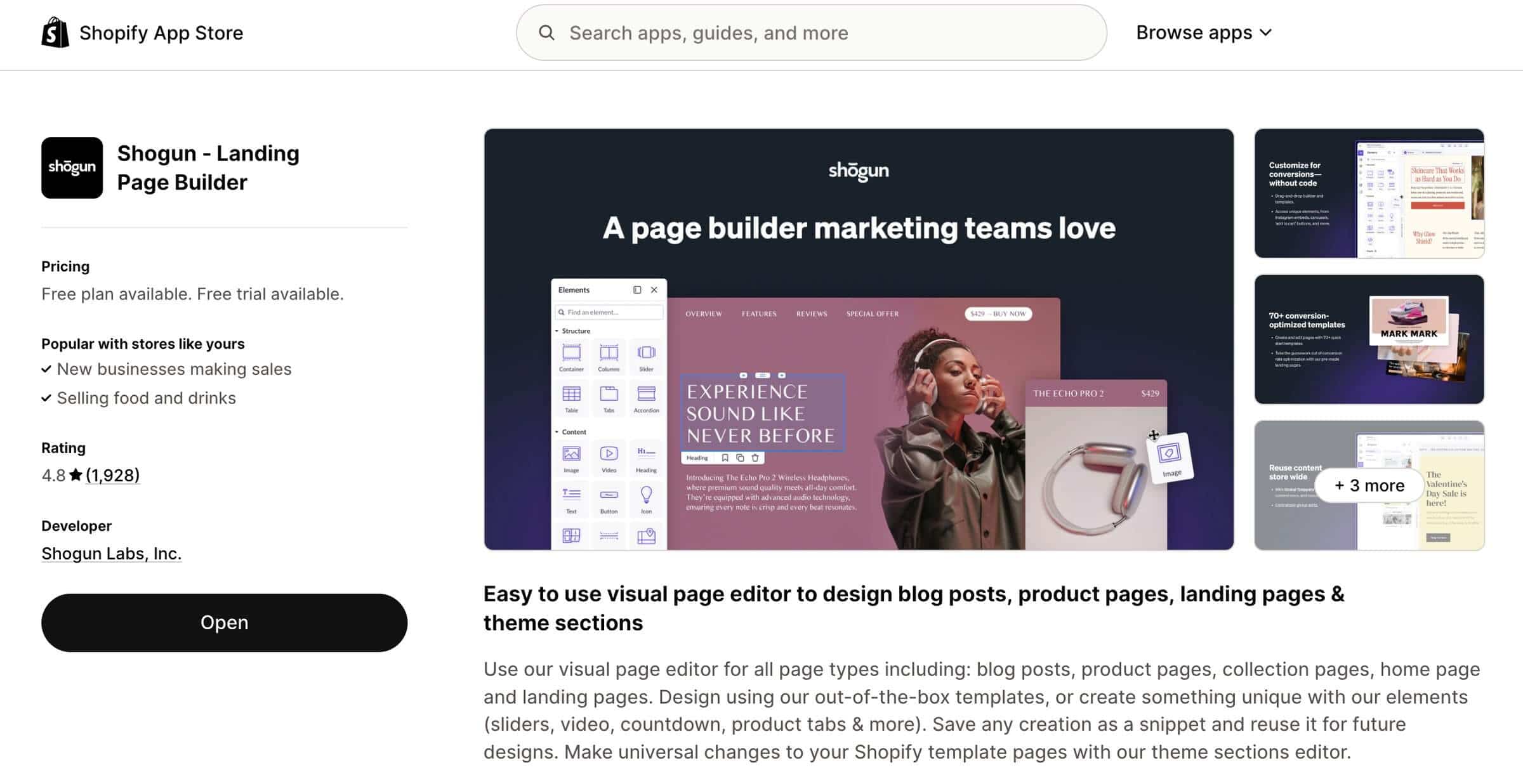
You’ll need to grant the app access to your Shopify or BigCommerce store, then select a pricing plan to start the 10-day free trial.
Step 2: Create a New Page
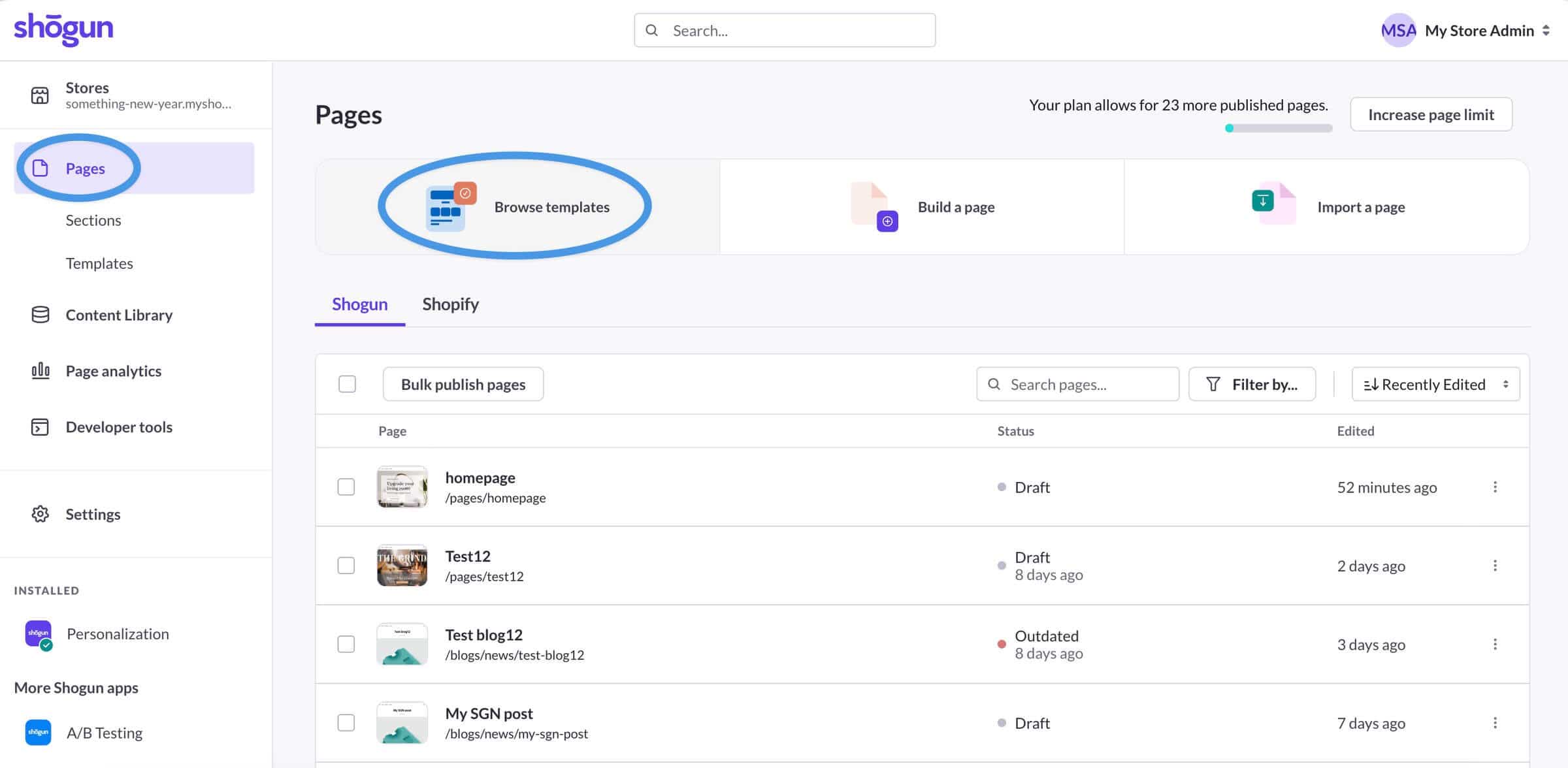
Once you’re in the Shogun admin, use one of the three options at the top of the page: Browse templates, Build a page, or Import a page to launch the Shogun page builder. We suggest starting with a template, as this is the quickest way to create a new page in Shogun.
Using the editor’s left side, you can add new elements, then switch to the right side to style them. You can also easily remove or duplicate the elements that come with the template by selecting the element and choosing the corresponding option.
Step 3: Publish and Test the Page
Once you build a page, publish it to share it with your store’s visitors. If you use BigCommerce, you can subscribe to the Build plan to test Shogun’s A/B testing and personalization features.
Tips for Getting the Most Out of Shogun Page Builder
To get the most out of Shogun, consider following some of these tips:
Leverage reusable blocks to create page sections and layouts quickly, and add them to any page with a single click.
If you have access to A/B testing features, test your pages’ headlines, pricing blocks, CTAs, and hero sections.
Use Shogun’s SEO fields available in the Settings tab to optimize your content for online searches.
Add pre-built review sliders and FAQs to improve your visitors’ experience on your store’s pages.
Use DropInBlog alongside Shogun for managing your store’s blog content.
Track your store’s performance through Shogun’s built-in analytics.
Before publishing a page, preview it in both desktop and mobile view to ensure it works correctly across different screens.
Shogun Alternatives
If you’re still not convinced Shogun is the right page builder for your online store, consider using one of its alternatives.
PageFly (Page Builder Alternative)
Who it’s for: Online store owners who need design control without a big budget.
Cost: Starts at $24/month. A free plan is also available.
Why use it: It’s more affordable than Shogun.
PageFly is a page builder that, like Shogun, lets you easily create and design your store’s landing pages. And also like Shogun, it supports A/B testing. The difference is that PageFly has a free plan, and unlike Shogun, it includes its CRO features in its page builder app.
GemPages (Page Builder Alternative)
Who’s it for: Store owners who need a page builder, built-in A/B testing, and AI-powered content creation and design tools.
Cost: Goes from $29 to $199/month. A free plan is available, too.
Why use it: It offers AI-driven design and content creation features to speed up page creation.
GemPages is a Shopify page builder that, like Shogun and PageFly, lets you create custom landing pages, product pages, and other store pages without coding. It also includes conversion-focused features like A/B testing. The main difference is that GemPages leans more heavily into AI-assisted design, offering unique features such as GemAI, which lets you create an editable Shopify layout from an image URL.
Replo (Page Builder Alternative)
Who’s it for: Shopify store owners who need a page builder, built-in A/B testing, and AI-powered design tools.
Cost: Starts at $119/month. Also includes a free preview-only plan.
Why use it: It gives you more design control and lets you create pages faster with its AI tools.
Replo is a Shopify store page builder very similar to Shogun. It lets you create landing and product pages, homepages, and custom pages from scratch or using one of the 1,000 pre-built templates. It supports CRO features, like A/B testing, and it even has a similar interface to Shogun's, with page elements and sections on the left side of the editor and design options on the right. The difference is that Replo gives you more design control, and it even lets you make visual changes via the AI-powered chat.
Builder.io (Headless CMS Alternative)
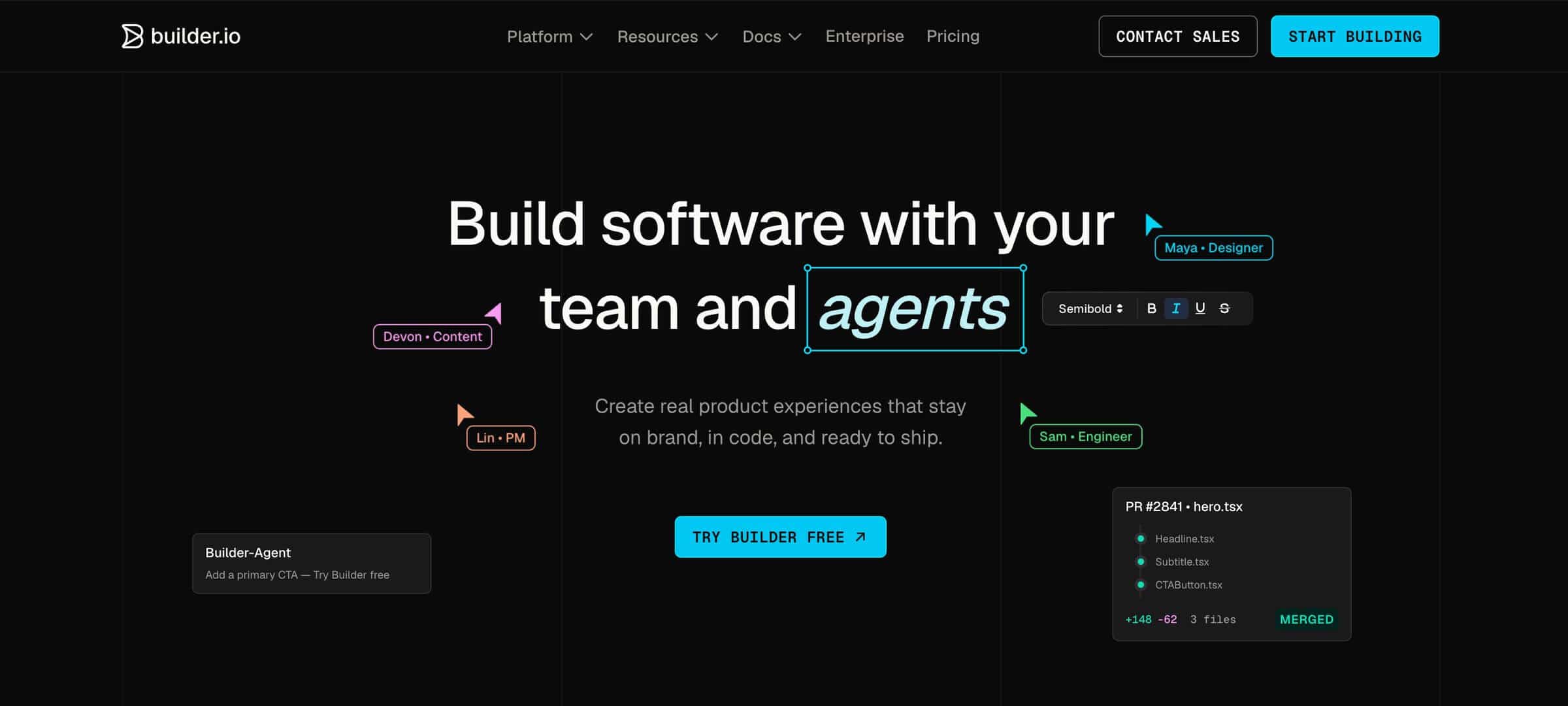
Who’s it for: Store owners who need a visual page builder for advanced or custom storefront setups, like headless Shopify.
Cost: Custom pricing. Its visual CMS is available on the Enterprise plan.
Why use it: It gives you more developer control than Shogun.
Builder.io is a visual CMS and page builder that, like Shogun, lets teams create and edit landing pages without relying on developers for every change. Unlike Shogun, Builder.io is designed primarily for headless and custom tech stacks. It gives developers control over reusable components while marketers can visually edit pages, personalize content, and schedule updates. The difference is that Builder.io is better suited for teams with a more technical setup, while Shogun is for merchants building directly inside Shopify.
DropInBlog (Blogging Alternative)
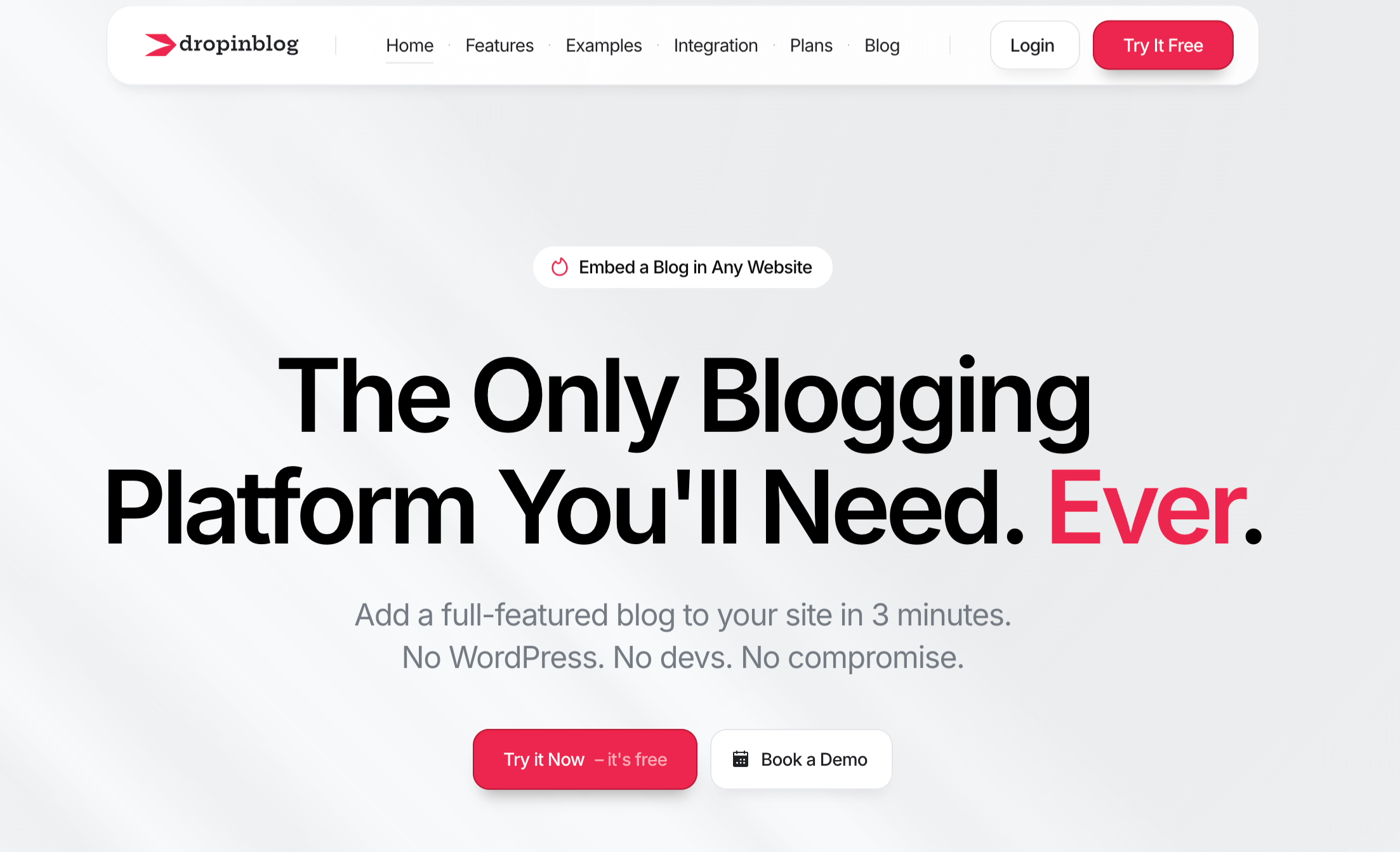
Who’s it for: Online store and website owners who need an SEO-friendly blogging tool.
Cost: Paid plans with a discount for yearly billing, and a free trial to test it out.
Why use it: It’s a professional blogging app, offering a host of features that neither Shogun nor Shopify/BigCommerce support.
DropInBlog isn’t a replacement for Shogun, but an embeddable blogging platform you can use together with Shogun. It’s a platform-agnostic tool, which means that it works with e-commerce builders like Shopify and BigCommerce, as well as traditional website builders and custom websites. The advanced SEO features, such as as-you-type SEO suggestions and schema support, are built into DropInBlog, while elements like product embeds and customizable CTA buttons can help you increase your store’s conversion rates.
Who Should Use Shogun
Now for the final question: who is Shogun right for, and who may want to look elsewhere?
Shogun May Be For You If
You want to easily create landing pages and product pages for your store.
You want to design these pages without developer help.
You run a BigCommerce store and need a page builder that supports CRO features.
You plan to use Shopify’s blog engine or a separate app to manage your blog.
Shogun Isn’t For You If
You need an advanced blogging solution and a page builder in one place.
You’re on a tight budget or looking for a free page builder.
Your primary goal is to grow organic traffic through your blog content.
FAQs
Is Shogun Page Builder free?
No. Although the Shogun page builder has a free plan, it only lets you test it and save your pages as drafts. To publish a page, you’ll need the Build plan or higher.
How much does Shogun cost?
Shogun pricing includes four plans: Draft Mode (free), Build (starting at $39/month), Grow ($199/month), and Advanced ($499/month). There’s also a free trial on all paid plans, so you can test the app before subscribing to one of the paid plans.
Can you blog with Shogun?
Yes, you can create blog posts with Shogun. The page builder lets you build blog posts, as well as import them from your Shopify and BigCommerce stores. However, it also shares the limitations of the Shopify and BigCommerce native blogs, so if blogging is a central part of your growth strategy, you should consider a dedicated blogging app like DropInBlog.
Does Shogun have built-in SEO?
Yes, Shogun allows you to add SEO tags to your content, and on Shopify, you can also set crawling rules.
How do you use Shogun on Shopify?
To use Shogun on Shopify, you need to install the Shogun app first. When you open the app from your Shopify admin, you can start creating pages from within the Pages tab. The page builder is intuitive, so you should be able to build new pages without any tutorials.
Is Shogun worth it?
Shogun is a good investment for online store owners who want an easy way to design high-converting landing pages and product pages. However, since it’s built as a page builder, it may not be the best fit for stores that need a dedicated blogging app.
Should You Use Shogun?
Shogun is a widely used page builder for Shopify and BigCommerce stores, known for eliminating complexities from page design. It’s worth a try if you need to create custom designs for your store’s pages without coding or developer help. However, it’s also less suitable for content-oriented stores, as it lacks advanced blogging and content management features.
You can always give Shogun a try and use its free trial to see if it’s a good fit for your business with no obligation. If it meets your page creation needs but you find its blogging capabilities lacking, we suggest using it alongside DropInBlog.
Or if you only want to add a blog to your online store, try DropInBlog instead.