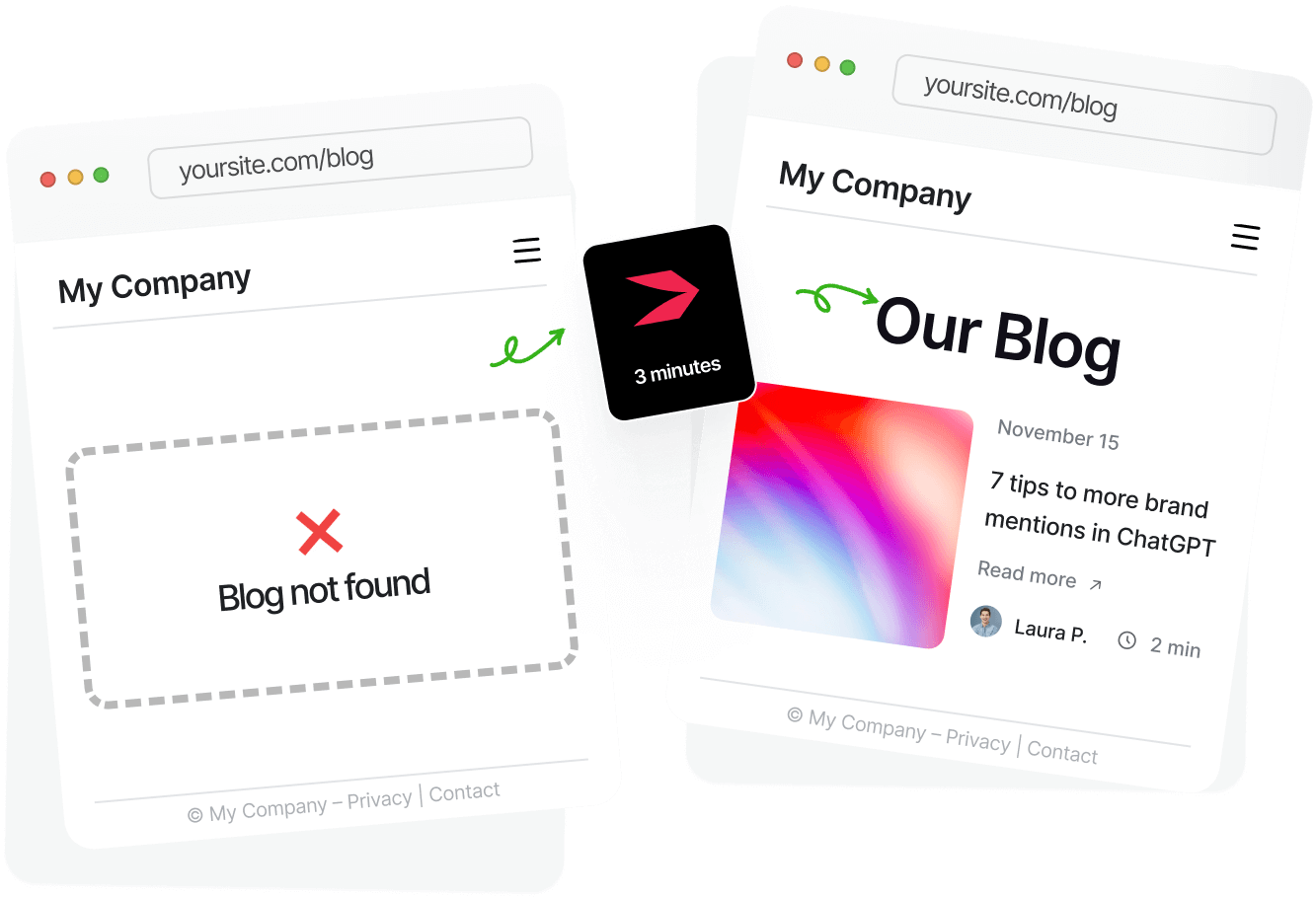

Adobe Commerce doesn’t support a blogging tool out of the box, which leaves you with two options: you can use one of the blog extensions from Adobe’s Marketplace, or you can use a professional blogging platform, DropInBlog.
Table of Contents
Regardless of your choice, your business needs a blog. You can create one and center your content marketing strategy around it, or use it as a place to share your company’s news and educational content from your industry. As you may know, blogging improves search engine visibility, builds brand and topical authority, and increases customer engagement. So if you want to work on these objectives, you should create a blog for your store.
The problem is that most Adobe Commerce blogging solutions either aren’t suitable for large companies or require significant development work.These aren’t the only blogging solutions available to you, though. There’s another, quite simple way to add a blog to your enterprise store, and that is with DropInBlog. This headless blogging solution allows companies of all sizes to create and manage their blogs without help from developers.
Before we show you how and why to add a blog to your Adobe Commerce store with DropInBlog, let’s look at other available options.
TL;DR
Adobe Commerce (formerly Magento Commerce) doesn’t have a native blogging tool.
You can use blog extensions from the Adobe Commerce Marketplace, but these extensions often lack advanced blogging features.
So, the easiest way to add a blog to your Adobe Commerce store without relying on your dev team is with DropInBlog.
Default Blogging Options for Adobe Commerce
Adobe Commerce doesn’t have a built-in blog, although you can use its page builder as a workaround. With this approach, however, you have to create a new page for each blog post, which isn’t sustainable in the long run. Additionally, editing your content with Adobe’s builder becomes cumbersome once your publishing frequency goes from infrequent to frequent.
The alternative is to use third-party blog extensions available on the Adobe Commerce Marketplace. The problem with this approach is that these blog solutions often:
Have a lengthy technical setup.
May not be compatible with your existing modules.
Offer only basic blogging features.
Don’t support advanced SEO tools.
Aren’t easy to scale and integrate into enterprise workflows.
All of these limitations can be removed with a single solution – DropInBlog.
DropInBlog: A Purpose-Built Solution for Blogging on Adobe Commerce (Magento Commerce)
DropInBlog is an embeddable blogging engine that lets you create a static blog for your store in just a few minutes. Since it’s a platform-agnostic blogging tool, it works great with Adobe Commerce, as well as the self-hosted version of Magento, other e-commerce platforms, website builders, and custom sites.
With this headless blogging solution, you can:
Attract new visitors through SEO-optimized content.
Connect your blog content with your products (via CTAs and reusable content blocks).
Build brand trust by publishing educational content.
DropInBlog Features to Help You Manage Your Adobe Commerce Blog
DropInBlog is a high-performance, enterprise-grade blogging engine, and as such, offers the features that make enterprise blogging easy:
Audit logs: With audit logs, you can keep a close eye on all activities in your account. If someone changes, adds, or edits content, you’ll have insights into who, when, and what.
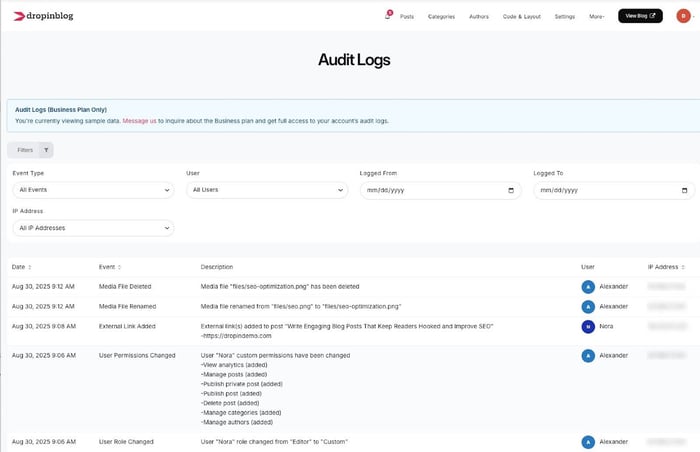
Role-based access: Thanks to DropInBlog’s support for user levels, you can invite up to ten team members to help you manage your blog account. You can use the default roles or create custom ones to ensure everyone’s in the right place and that your data is safe.
Automated BYOS backups: To ensure all your data is safe and under your control, DropInBlog automatically backs up your content and stores it in your Amazon S3 or Cloudflare R2 account.
Tier 2 success manager: And if you have any questions or issues, you can contact your dedicated success manager at any time.
Intuitive post editor: Even though it has a wealth of features, the DropInBlog editor is user-friendly. Your team will easily learn how to make the most out of it.
The SEO Analyzer: Unlike other blogging options for Adobe Commerce, DropInBlog offers more than just basic SEO features. Using the platform’s native SEO analysis tool, you can increase your blog’s visibility in search engines by optimizing it for your target keywords.
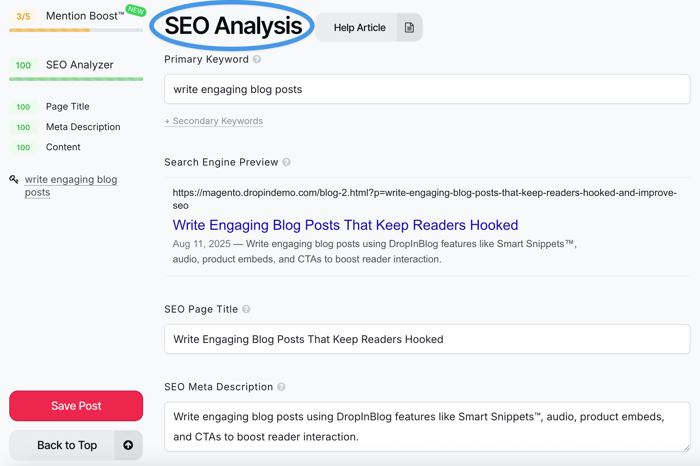
Mention Boost™: Getting cited by AI-based engines and LLMs increases your site’s traffic and improves your brand’s visibility. Simply add your content into the editor, and DropInBlog’s Mention Boost™ will give you actionable tips on how to format your content so that AI engines can easily read and understand it.
Blog Voice AI™: Your blog can now be served in another format – audio. The text-to-speech engine turns your written content into a podcast-like experience, allowing you to customize the sound and language of your blog.
Smart Snippets™: Blog snippets make it easy to create a piece of content in a single place and reuse it across your blog. You can use this feature to display your store’s products, promotions, forms, and anything else that comes to mind.
Authors: You can create detailed author profiles for the writers on your team and guest authors, which will help you meet Google’s E-E-A-T standards.
Staging environment for safer publishing and previewing: DropInBlog provides a safety net for new integrations. You can use a non-public environment to ensure everything works as expected before publishing your changes live.
White-glove migration support: If you already have a blog hosted elsewhere, you can count on the DropInBlog experts to move your content to DropInBlog.
DropInBlog Enterprise-Only Features
Apart from all the features we discussed so far, enterprise customers also have access to the following features:
Custom features: You can go beyond DropInBlog’s out-of-the box features and request new features to complement your workflows, marketing, or compliance needs. If you want to modify an existing feature, that’s possible too.
Custom integrations: As mentioned before, DropInBlog is platform-agnostic and will integrate seamlessly with your Adobe Commerce store. If there’s a way to make the blog integration even smoother, you can request a custom integration for your existing Adobe Commerce tech stack.
Flexible billing options for finance teams: DropInBlog supports invoices and purchase orders, helping you control spending, maintain compliance, and build a transparent relationship with your blogging partner.
Multi-year contracts: Ideal for procurement and budgeting processes within larger organizations, multi-year contracts provide the long-term flexibility and compliance you need.
Single Sign-On (SSO): If you want to streamline access control for teams across departments, you can connect DropInBlog with the SSO provider of your choice.
SLA (Service Level Agreement): With DropInBlog, you also get uptime and performance guarantees that match enterprise expectations.
DropInBlog SEO Features
We already mentioned that DropInBlog has a native SEO analysis tool designed to help you maximize content visibility and its performance in search engines.
That’s not the only SEO feature, though. By creating a blog for your Adobe Commerce (Magento Commerce) store with DropInBlog, you get access to many more features that will make your content SEO-friendly:
Fast-loading, indexable blog content: All DropInBlog blogs are built for speed, using technologies like lazy loading and caching to deliver your blog content in seconds. If you enable the SEO Supercharger in your account, you can expect even faster loading speeds with static pages.
Schema markup: When you add a blog post to your Adobe Commerce store, DropInBlog automatically applies structured data to your content. The blogging tool supports various schema types, including Article, FAQ, and Video, and prepares your content for rich search results.
Blog-wide SEO settings: While the SEO Analyzer checks your content on a per-post basis, you can also set the title, description, URL structure, redirects, and sitemap for the entire blog.
Internal linking tools: Within each post, you can add related posts, TOC, and author pages, which improve engagement and crawlability.
By contrast, Adobe Commerce blog extensions often cover only the basic SEO features, allowing you to optimize your blog and individual posts via meta tags. On the other hand, they are missing the features that significantly improve your blog’s search engine visibility:
These extensions don’t have a built-in SEO analysis tool.
They don’t prepare your content for AI-based searches.
They don’t offer an automated way to add structured data.
And they often need another extension for internal linking tools such as ToCs.
Seamless Blog Integration for Adobe Commerce Stores
You can easily integrate DropInBlog with Adobe Commerce – just add the two blog snippets unique to your DropInBlog account to a new page.
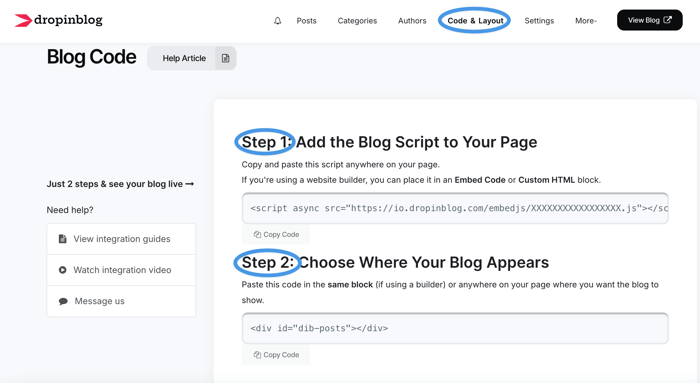
In just a few minutes, you’ll have a full-featured blog on your e-commerce store.
On top of the quick integration, you won’t need much (if any) help from your development department. You’ll manage all your content from your DropInBlog account, which comes with an intuitive interface and an extensive knowledge base.
ROI and Content Strategy Payoff
A Databox study shows that blogging is more effective than video marketing for increasing site traffic. Increased site traffic generates more leads – companies that have a blog have 68% more leads than companies without one.
These are only some of the many statistics that support the claim of higher ROI for businesses with a blog. With a high-performance blog, you can achieve the following objectives:
Acquire customers organically without investing in paid ads.
Build your brand by sharing stories, company values, and expertise on your blog.
Educate your customers about your brand, products, or services.
Improve your internal linking and site structure by linking your blog pages with your core pages.
Customer Spotlight: Jellycat
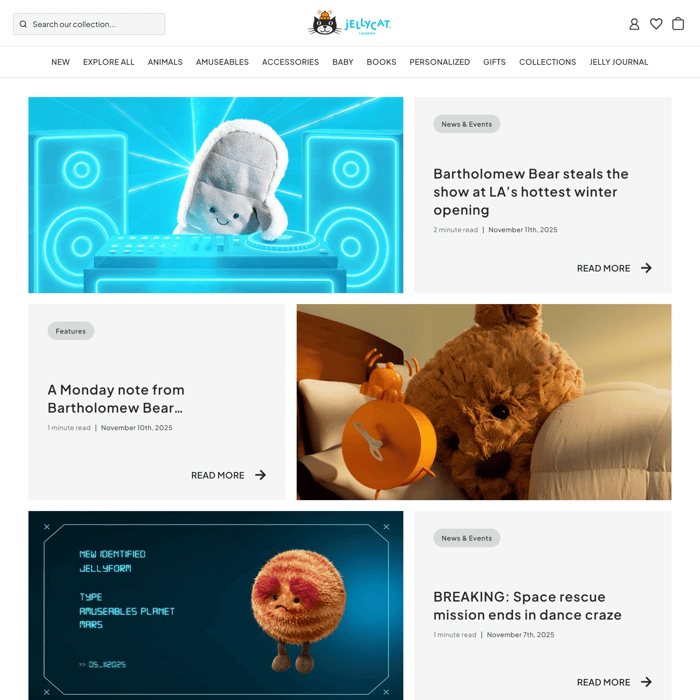
Jellycat uses DropInBlog for its blog, Jelly Journal. It features tips, how-to guides, and fun stories about Jellycat's plush toys.
Create a Blog on Adobe Commerce Today
DropInBlog is a flexible blogging solution for Adobe Commerce (Magento Commerce) stores, offering a quick setup and all the features you need to run your enterprise blog.
Or start a free trial today to experience the DropInBlog blogging experience first-hand.
Have any questions? Get in touch with us.
Happy blogging!